
Package Exports
- @hcaptcha/vue-hcaptcha
This package does not declare an exports field, so the exports above have been automatically detected and optimized by JSPM instead. If any package subpath is missing, it is recommended to post an issue to the original package (@hcaptcha/vue-hcaptcha) to support the "exports" field. If that is not possible, create a JSPM override to customize the exports field for this package.
Readme
Vue.js hCaptcha Component Library
hCaptcha Component Library for Vue.js, compatible with Vue 2+.
Installation
You can install this library via npm with:
npm install @hcaptcha/vue-hcaptcha --saveor by including the library in a script tag
<script src="../vue-hcaptcha.js"></script>Basic Usage
<template>
    <vue-hcaptcha sitekey="**Your sitekey here**"></vue-hcaptcha>
</template>

<script>
  import VueHcaptcha from 'vue-hcaptcha';
  export default {
    ...
    components: { VueHcaptcha }
  };
</script>
The component will automatically include and load the hCaptcha API library and append it to the root component. This is designed for ease of use with the hCaptcha API!
Note: There's a known flaw when there are multiple captchas being rendered. It's recommended to use only one captcha per page.
Api
Props
| Name | Values/Type | Required | Description |
|---|---|---|---|
sitekey |
String | Yes | This is your sitekey, this allows you to load captcha. If you need a sitekey, please visit hCaptcha, and sign up to get your sitekey. |
size |
String (normal, compact, invisible) | No, default: normal | This specifies the "size" of the component. hCaptcha allows you to decide how big the component will appear on render, this always defaults to normal. |
theme: String (light, dark) |
No, default: light | hCaptcha supports both a light and dark theme. If no theme is inherently set, the captcha will always default to light. | |
tabindex |
Integer | No, default: 0 | Set the tabindex of the widget and popup. When appropriate, this can make navigation of your site more intuitive. |
Events
@verify="onVerify"@expired="onExpired"@error=onError(The captcha will automatically reset on error)
FAQ
How can I get a sitekey?
Sign up at hCaptcha to get your sitekey today. Check documentation for more information.
What is hCaptcha?
hCaptcha is a drop-in replacement for reCAPTCHA that earns websites money and helps companies get their data labeled.
Demo
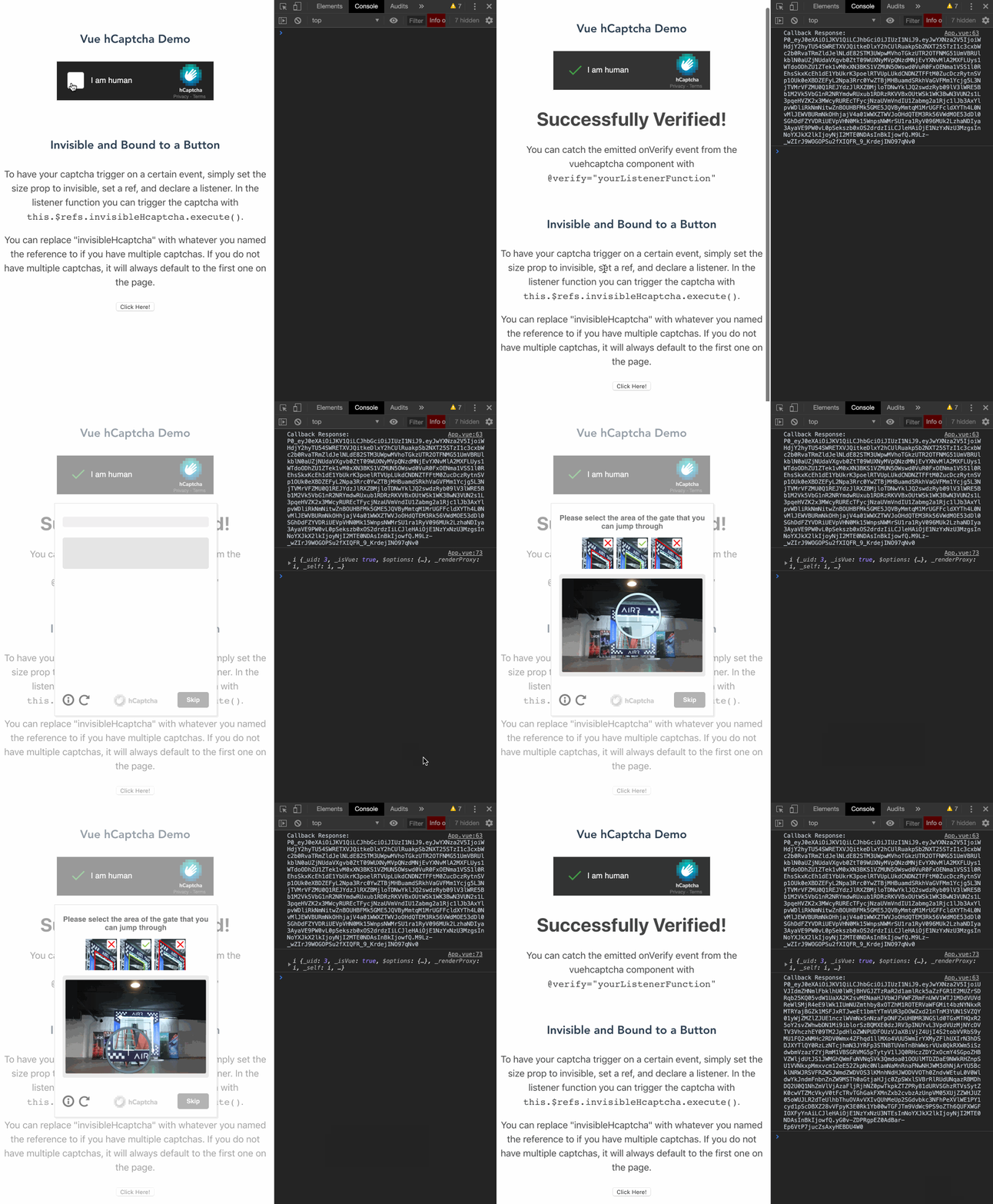
To run the demo, simply npm run serve after downloading the repo, this will start a development server on localhost:8080. Open your console to see the demo app emitting events.
To test locally, you can run the following NPM commands:
npm run serve- This initiates the hot reload dev server from the vue-cli
npm run build- This will build your version of the component with your customizations for production.
npm run lintandnpm run lint:fix- This will enable ESLint to help keep your code clean!
Publishing npm package
Using the proper credentials (granted to @Hcaptcha org), you'll need to do the following to publish:
npm login- Bump version in package.json
- Commit changes
npm publish .