

Package Exports
- @hcaptcha/vue-hcaptcha
This package does not declare an exports field, so the exports above have been automatically detected and optimized by JSPM instead. If any package subpath is missing, it is recommended to post an issue to the original package (@hcaptcha/vue-hcaptcha) to support the "exports" field. If that is not possible, create a JSPM override to customize the exports field for this package.
Readme
Vue.js hCaptcha Component Library
hCaptcha Component Library for Vue.js, compatible with Vue 2+.
Installation
You can install this library via npm with:
npm install @hcaptcha/vue-hcaptcha --saveor via yarn:
yarn add @hcaptcha/vue-hcaptchaor via script tag (Vue must be globally available)
<script src="https://unpkg.com/vue"></script>
<script src="https://unpkg.com/@hcaptcha/vue-hcaptcha"></script>
Basic Usage
<template>
    <vue-hcaptcha sitekey="**Your sitekey here**"></vue-hcaptcha>
</template>

<script>
  import VueHcaptcha from '@hcaptcha/vue-hcaptcha';
  export default {
    ...
    components: { VueHcaptcha }
  };
</script>
The component will automatically include and load the hCaptcha API library and append it to the root component. This is designed for ease of use with the hCaptcha API!
Api
Props
| Name | Values/Type | Required | Default | Description |
|---|---|---|---|---|
sitekey |
String | Yes | - |
This is your sitekey, this allows you to load captcha. If you need a sitekey, please visit hCaptcha, and sign up to get your sitekey. |
size |
String (normal, compact, invisible) | No | normal |
This specifies the "size" of the component. hCaptcha allows you to decide how big the component will appear on render, this always defaults to normal. |
theme |
String (light, dark) | No | light |
hCaptcha supports both a light and dark theme. If no theme is inherently set, the captcha will always default to light. |
tabindex |
Integer | No | 0 |
Set the tabindex of the widget and popup. When appropriate, this can make navigation of your site more intuitive. |
language |
String (ISO 639-2 code) | No | auto |
hCaptcha auto-detects language via the user's browser. This overrides that to set a default UI language. |
reCaptchaCompat |
Boolean | No | true |
Disable drop-in replacement for reCAPTCHA with false to prevent hCaptcha from injecting into window.grecaptcha. |
challengeContainer |
String | No | - |
A custom element id to render the hCaptcha challenge. |
rqdata |
String | No | - | See Enterprise docs. |
sentry |
Boolean | No | - | See Enterprise docs. |
apiEndpoint |
String | No | - | See Enterprise docs. |
endpoint |
String | No | - | See Enterprise docs. |
reportapi |
String | No | - | See Enterprise docs. |
assethost |
String | No | - | See Enterprise docs. |
imghost |
String | No | - | See Enterprise docs. |
Events
| Event | Params | Description |
|---|---|---|
error |
err |
When an error occurs. Component will reset immediately after an error. |
verify |
token, eKey |
When challenge is completed. The token and an eKey are passed along. |
expired |
- | When the current token expires. |
challengeExpired |
- | When the unfinished challenge expires. |
opened |
- | When the challenge is opened. |
closed |
- | When the challenge is opened. |
reset |
- | When the challenge is reset. |
rendered |
- | When the challenge is rendered. |
executed |
- | When the challenge is executed. |
Methods
| Method | Description |
|---|---|
execute() |
Programmatically trigger a challenge request |
reset() |
Reset the current challenge |
FAQ
How can I get a sitekey?
Sign up at hCaptcha to get your sitekey today. Check documentation for more information.
What is hCaptcha?
hCaptcha is a drop-in replacement for reCAPTCHA that earns websites money and helps companies get their data labeled.
Demo
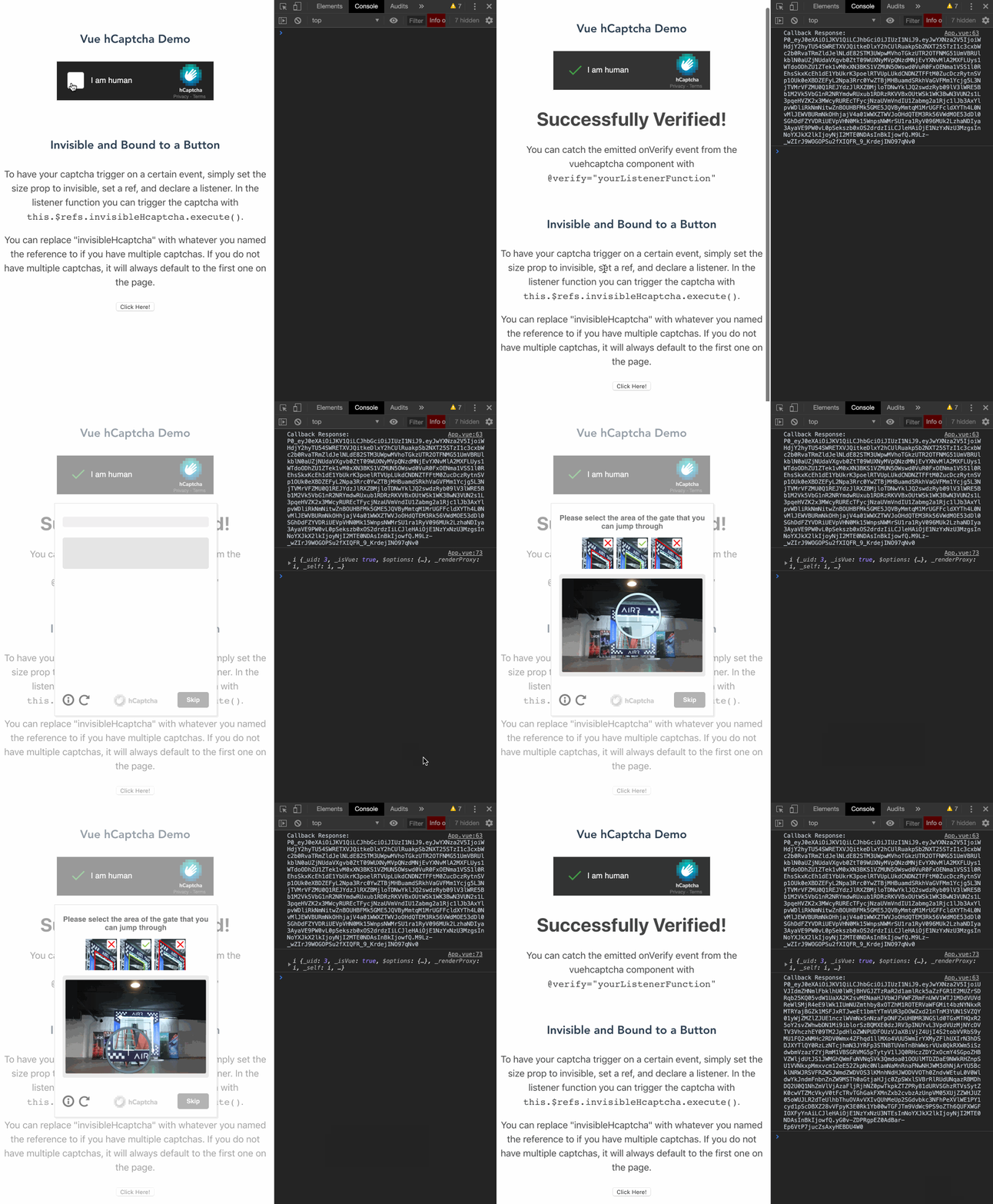
To run the demo:
- clone this repo
git clone https://github.com/hCaptcha/vue-hcaptcha.git - run
npm run serve- it will start the demo app on localhost:8080
- open your console to see the demo app emitting events
TypeScript
TypeScript is supported (types/index.d.ts), and you can see an example by running npm run serve:ts.
Note for maintainers
Scripts
npm run serve- will start the traditional demo app with hot reloadnpm run serve:ts- will start the typescript demo app with hot reloadnpm run test- will test the library: unit tests and typesnpm run build- will build the production versionnpm run lint- will check for lint issuesnpm run lint:fix- will fix for lint issues
Publishing
To publish a new version, follow the next steps:
- Bump the version in
package.json - Create a Github Release with version from step 1 without a prefix such as
v(e.g.1.0.3)
publishworkflow will be triggered which will: build, test and deploy the package to the npm @hcaptcha/vue-hcaptcha.