
Package Exports
- chartjs-chart-graph
This package does not declare an exports field, so the exports above have been automatically detected and optimized by JSPM instead. If any package subpath is missing, it is recommended to post an issue to the original package (chartjs-chart-graph) to support the "exports" field. If that is not possible, create a JSPM override to customize the exports field for this package.
Readme
Chart.js Graphs


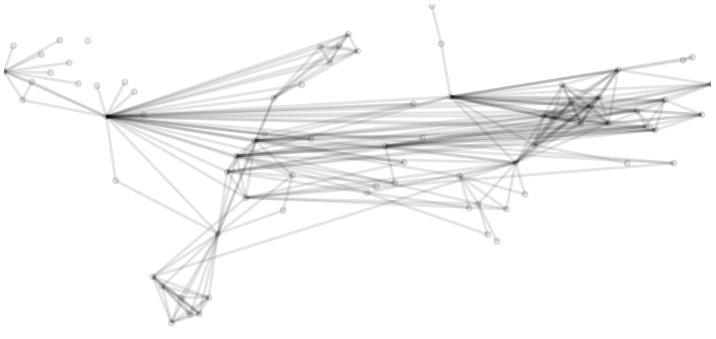
Chart.js module for charting graphs. Adding two new chart types: graph and forceDirectedGraph.
Works only with Chart.js >= 2.8.0
Install
npm install --save chart.js chartjs-chart-graphUsage
see Samples on Github
and CodePen
Styling
The new chart types are based on the existing line controller. Tho, instead of showing a line per dataset it shows edges as lines. Therefore, the styling options for points and lines are the same. See also https://www.chartjs.org/docs/latest/charts/line.html
Data Structure
data: {
  labels: ['A', 'B', 'C'], // node labels
  datasets: [{
    data: [ // nodes as objects
      { x: 1, y: 2 }, // x, y will be set by the force directed graph and can be omitted
      { x: 3, y: 1 },
      { x: 5, y: 3 }
    ],
    edges: [ // edge list where source/target refers to the node index
      { source: 0, target: 1},
      { source: 0, target: 2}
    ]
  }]
},
Force Directed Graph
Automatically computes the x,y posiiton of nodes based on a force simulation. It is baesd on https://github.com/d3/d3-force/.
Options
interface IForceDirectedOptions {
  simulation: {
    forces: {
      /**
       * center force
       * https://github.com/d3/d3-force/#centering
       *
       * @default true
       */
      center: boolean | ICenterForce,

      /**
       * collision betweeen nodes
       * https://github.com/d3/d3-force/#collision
       *
       * @default false
       */
      collide: boolean | ICollideForce,

      /**
       * link force
       * https://github.com/d3/d3-force/#links
       *
       * @default true
       */
      link: boolean | ILinkForce,

      /**
       * link force
       * https://github.com/d3/d3-force/#many-body
       *
       * @default true
       */
      manyBody: boolean | IManyBodyForce,

      /**
       * x positioning force
       * https://github.com/d3/d3-force/#forceX
       *
       * @default false
       */
      x: boolean | IForceXForce,

      /**
       * y positioning force
       * https://github.com/d3/d3-force/#forceY
       *
       * @default false
       */
      y: boolean | IForceYForce,

      /**
       * radial positioning force
       * https://github.com/d3/d3-force/#forceRadial
       *
       * @default false
       */
      radial: boolean | IRadialForce,
    }
  }
}

declare ID3NodeCallback = (d: IDataNode, i: number) => number;
declare ID3EdgeCallback = (d: IDataEdge, i: number) => number;

interface ICenterForce {
  x?: number;
  y?: number;
}

interface ICollideForce {
  radius?: number | ID3NodeCallback;
  strength?: number | ID3NodeCallback;
}

interface ILinkForce {
  distance?: number | ID3EdgeCallback;
  strength?: number | ID3EdgeCallback;
}

interface IManyBodyForce {
  strength?: number | ID3NodeCallback;
  theta?: number;
  distanceMin?: number;
  distanceMax?: number;
}

interface IForceXForce {
  x?: number;
  strength?: number;
}

interface IForceYForce {
  y?: number;
  strength?: number;
}

interface IRadialForce {
  x?: number;
  y?: number;
  radius?: number;
  strength?: number;
}
Building
npm install
npm run build