

Package Exports
- hs-uix
- hs-uix/common-components
- hs-uix/datatable
- hs-uix/form
- hs-uix/kanban
- hs-uix/utils
Readme
hs-uix


Production-ready UI components for HubSpot UI Extensions. Built entirely on HubSpot's native primitives — no custom HTML, no CSS, no iframes.
Install
npm install hs-uiximport { DataTable } from "hs-uix/datatable";
import { FormBuilder } from "hs-uix/form";
import { AutoStatusTag, AutoTag, KeyValueList, SectionHeader } from "hs-uix/common-components";
import { formatCurrency, formatDate } from "hs-uix/utils";
// or import everything from the root
import { DataTable, FormBuilder, AutoStatusTag, AutoTag } from "hs-uix";Requires react >= 18.0.0 and @hubspot/ui-extensions >= 0.12.0 as peer dependencies (already present in any HubSpot UI Extensions project).
Components
| Component | Description | Docs |
|---|---|---|
| DataTable | Filterable, sortable, paginated table with auto-sized columns, inline editing, row grouping, and more | Full documentation |
| FormBuilder | Declarative, config-driven form with validation, multi-step wizards, and 20+ field types | Full documentation |
| Kanban | Stage-based board with filters, sort, headline metrics, card action bars, and DataTable-parity card field config | Full documentation |
| Common Components | Thin visual wrappers over HubSpot primitives — AutoTag, AutoStatusTag, AvatarStack, SectionHeader, KeyValueList, StyledText |
Full documentation |
| Utils | Pure helpers for formatting, options, HubSpot value guards, and tag-variant inference | Full documentation |
DataTable
A drop-in table component for HubSpot UI Extensions. Define your columns, pass your data, and you get search, filtering, sorting, pagination, inline editing, row grouping, and auto-sized columns out of the box.
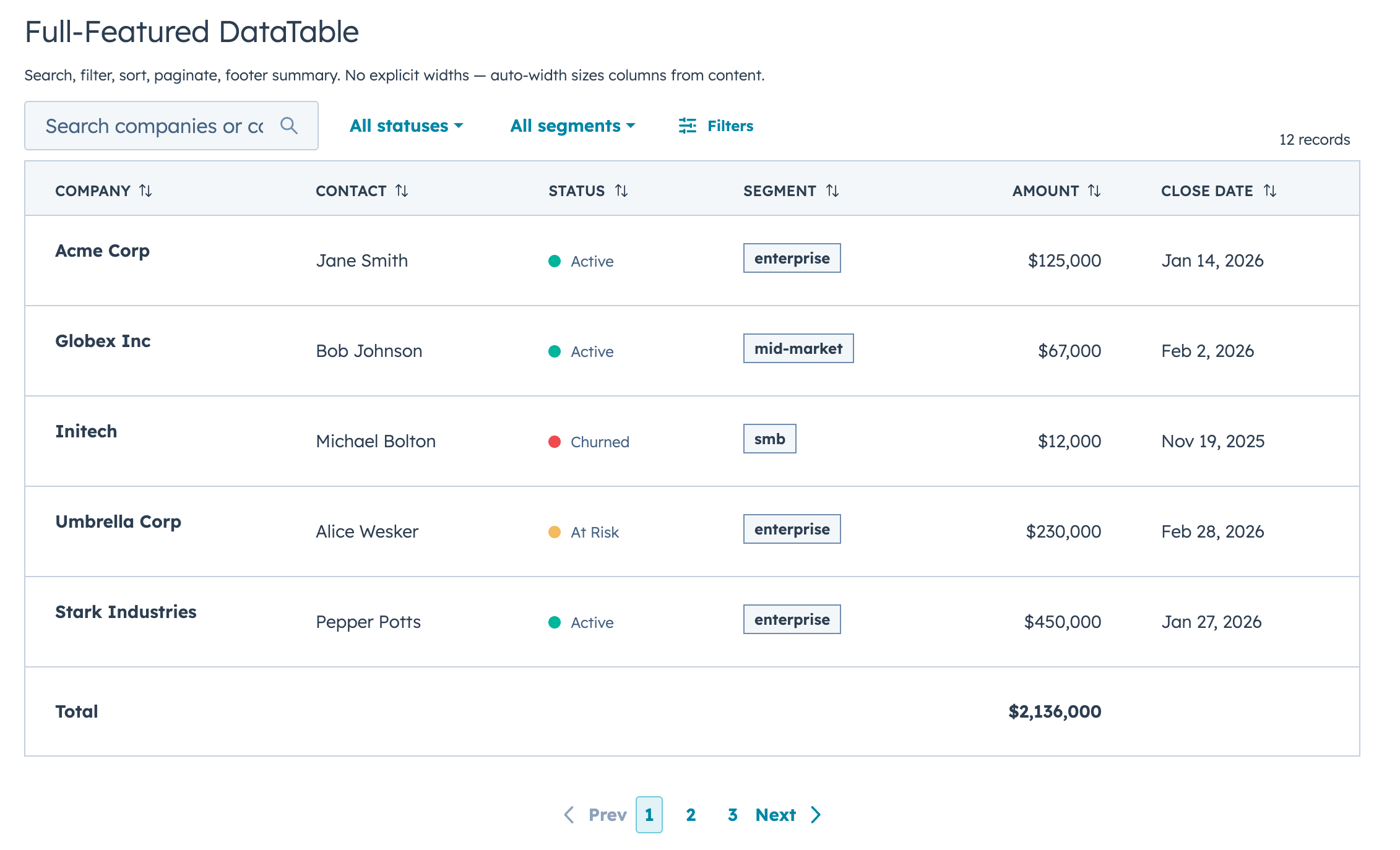
Quick Start
import { DataTable } from "hs-uix/datatable";
import { AutoStatusTag, AutoTag, KeyValueList, SectionHeader } from "hs-uix/common-components";
import { formatCurrency, formatDate } from "hs-uix/utils";

const COLUMNS = [
  { field: "name", label: "Company", sortable: true, renderCell: (val) => val },
  { field: "status", label: "Status", renderCell: (val) => <AutoStatusTag value={val} /> },
  { field: "segment", label: "Segment", renderCell: (val) => <AutoTag value={val} /> },
  { field: "amount", label: "Amount", sortable: true, renderCell: (val) => formatCurrency(val) },
  { field: "closeDate", label: "Close Date", renderCell: (val) => formatDate(val) },
];

<DataTable data={deals} columns={COLUMNS} searchFields={["name"]} pageSize={10} />

<SectionHeader
  title="Deal Summary"
  description="A compact summary block using common components."
/>

<KeyValueList
  items={[
    { label: "Open deals", value: 12 },
    { label: "Pipeline", value: formatCurrency(245000) },
  ]}
/>
That's a searchable, sortable, paginated table with auto-sized columns in 5 lines of config.
Features
- Full-text search with optional fuzzy matching via Fuse.js
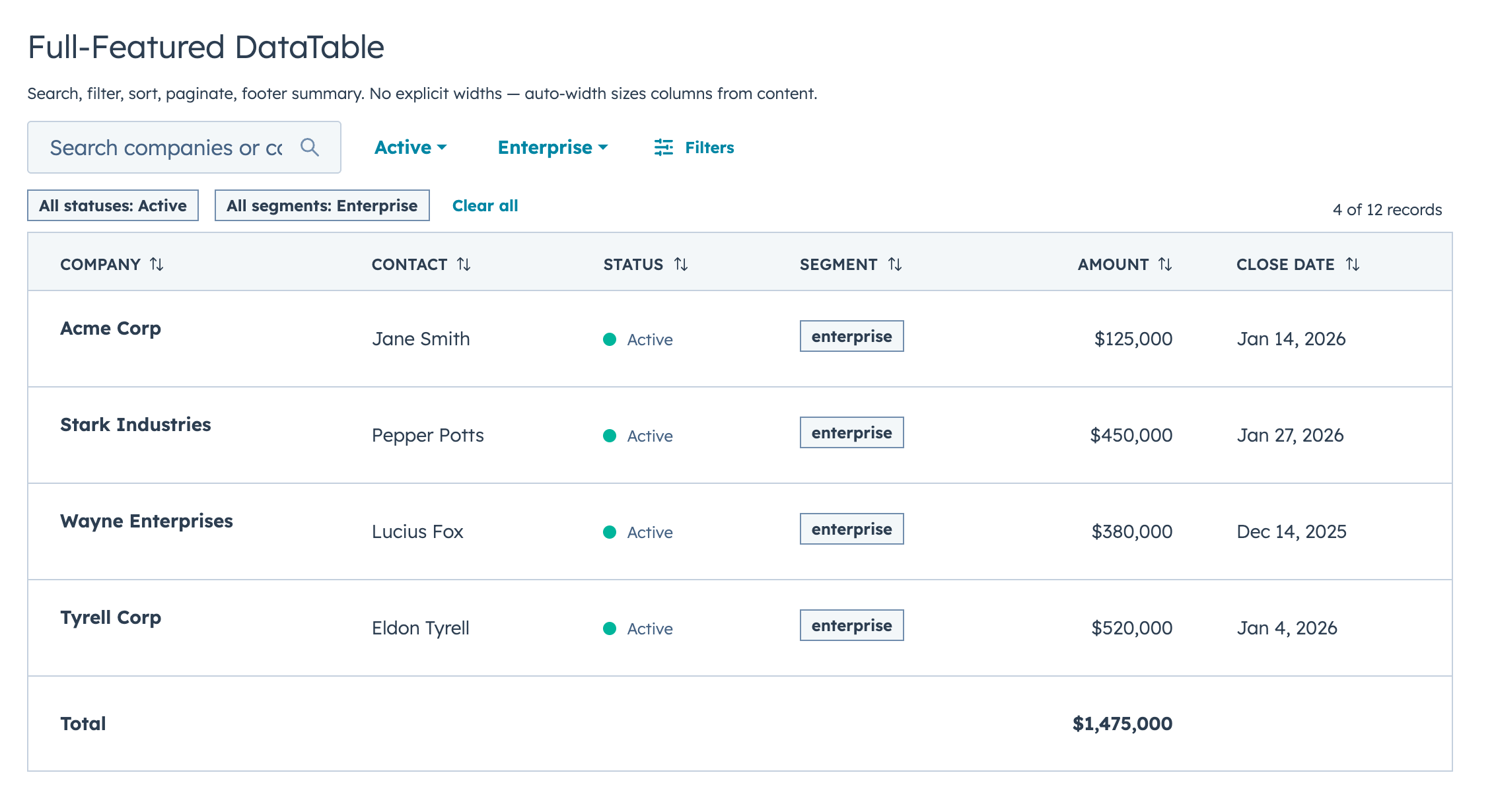
- Select, multi-select, and date range filters with active badges and clear/reset controls
- Click-to-sort headers with three-state cycling
- Client-side or server-side pagination
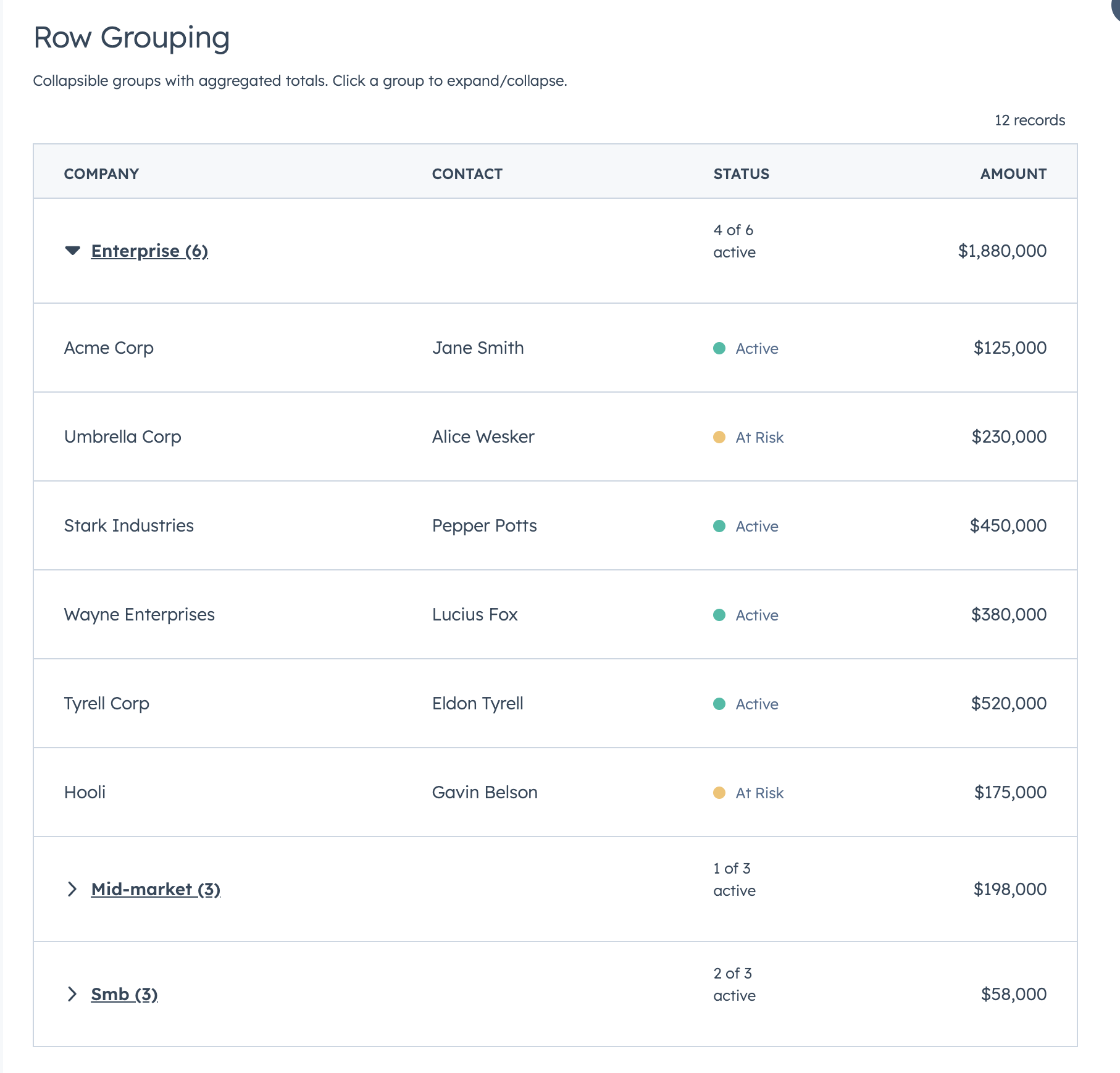
- Collapsible row groups with per-column aggregation
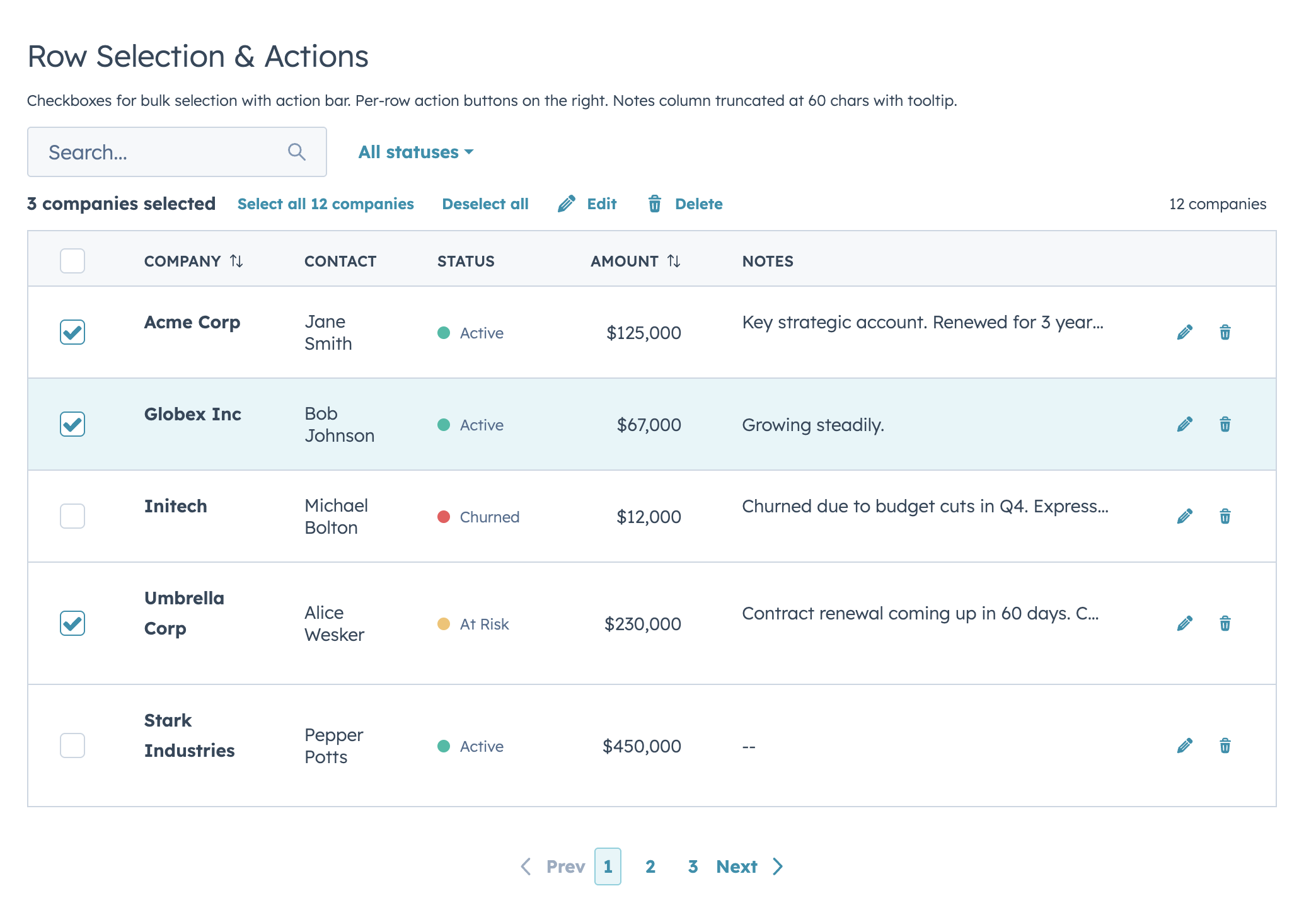
- Row selection with bulk action bar
- Per-row actions via
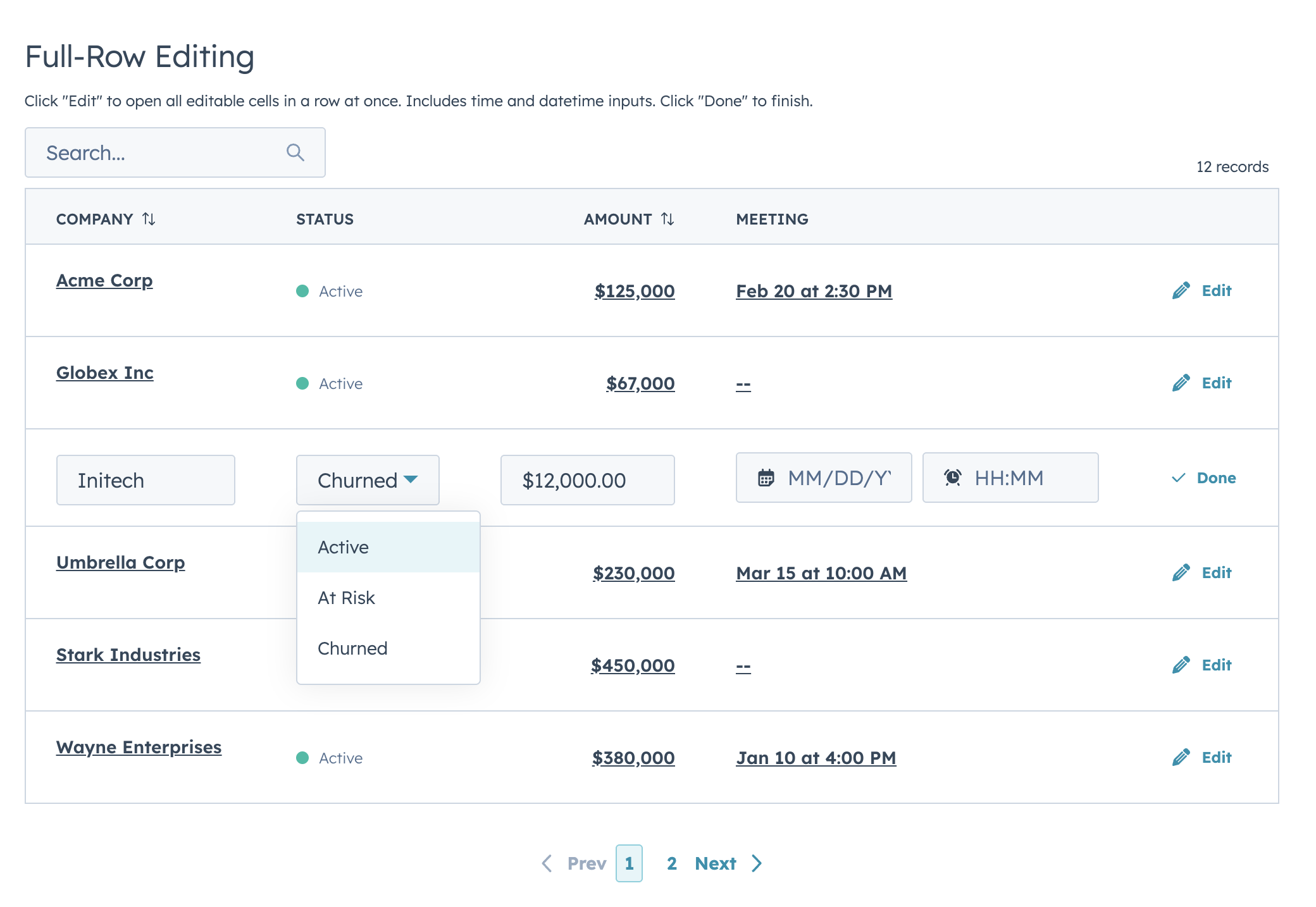
rowActions - Two edit modes (discrete click-to-edit and inline always-visible) supporting 12 input types with validation
- Auto-width column sizing based on data analysis
- Column-level footer for totals rows
- Works with
useAssociationsfor live CRM data - Server-side mode with loading/error states, search debounce, and unified
onParamsChangecallback
Highlights
Filters & Footer Totals
Row Selection & Bulk Actions
Inline Editing
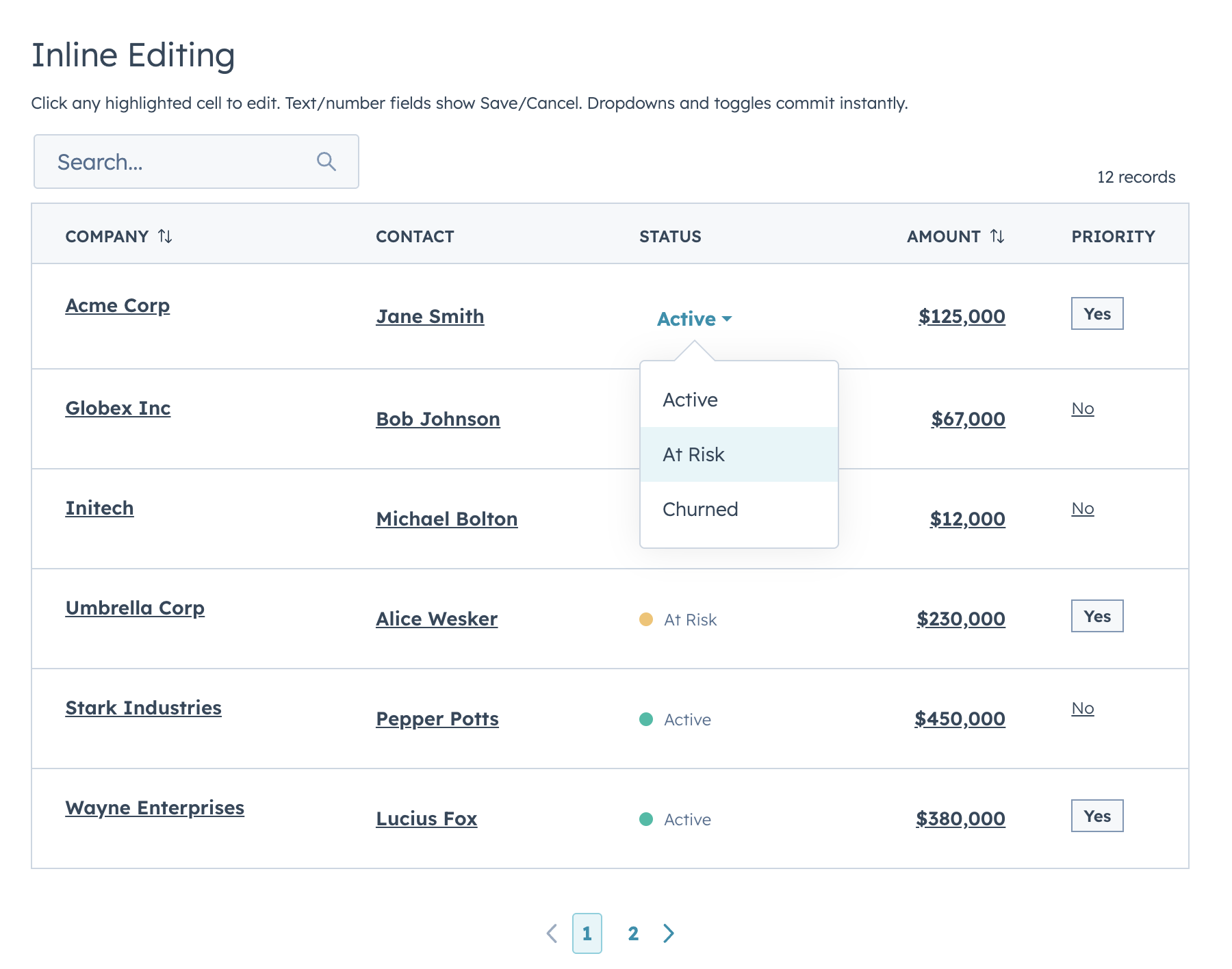
Two edit modes: discrete (click-to-edit, default) and inline (always-visible inputs). Supports text, textarea, number, currency, stepper, select, multiselect, date, time, datetime, toggle, and checkbox.
Row Grouping
Full-Row Editing
useAssociations
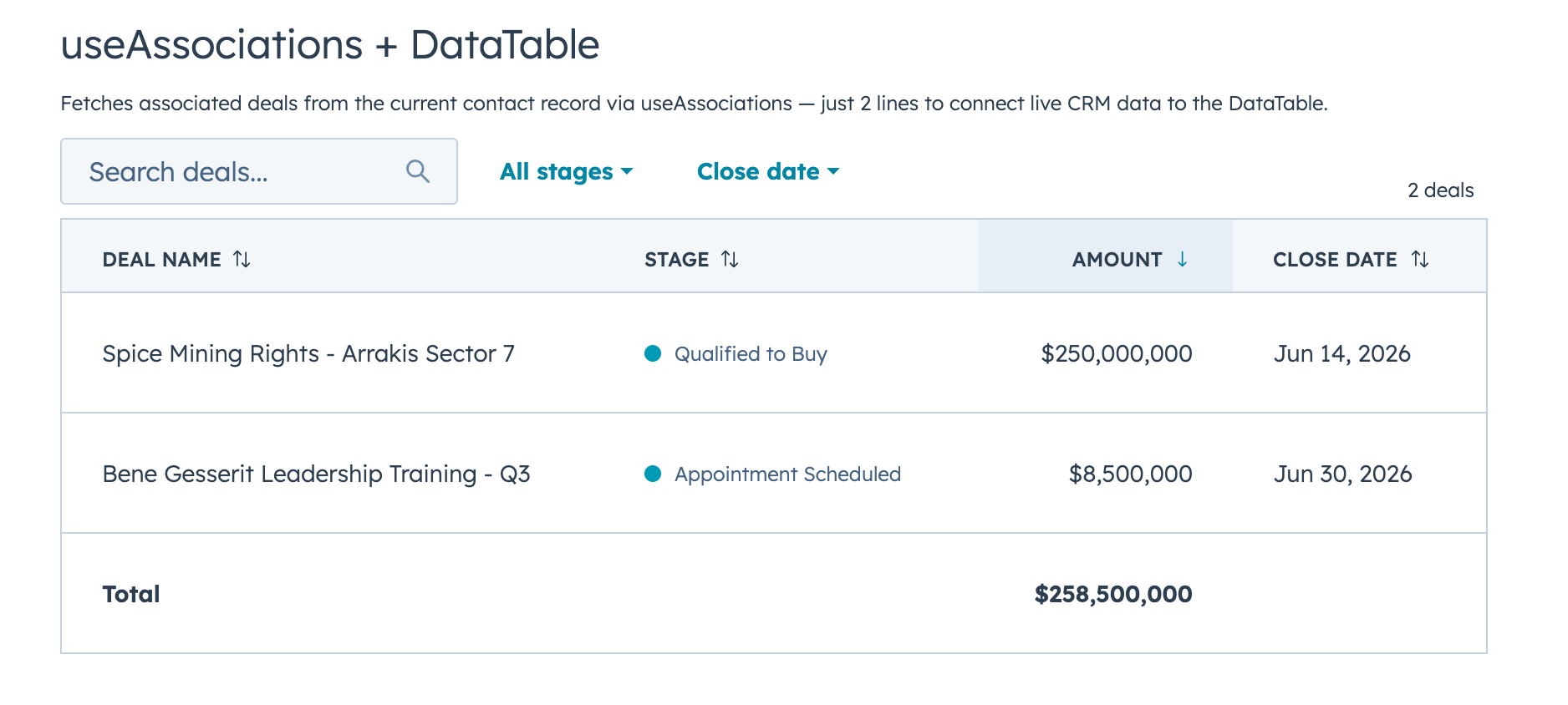
Connect live CRM data (contacts, deals, tickets, etc.) to a DataTable with useAssociations from @hubspot/ui-extensions/crm.
FormBuilder
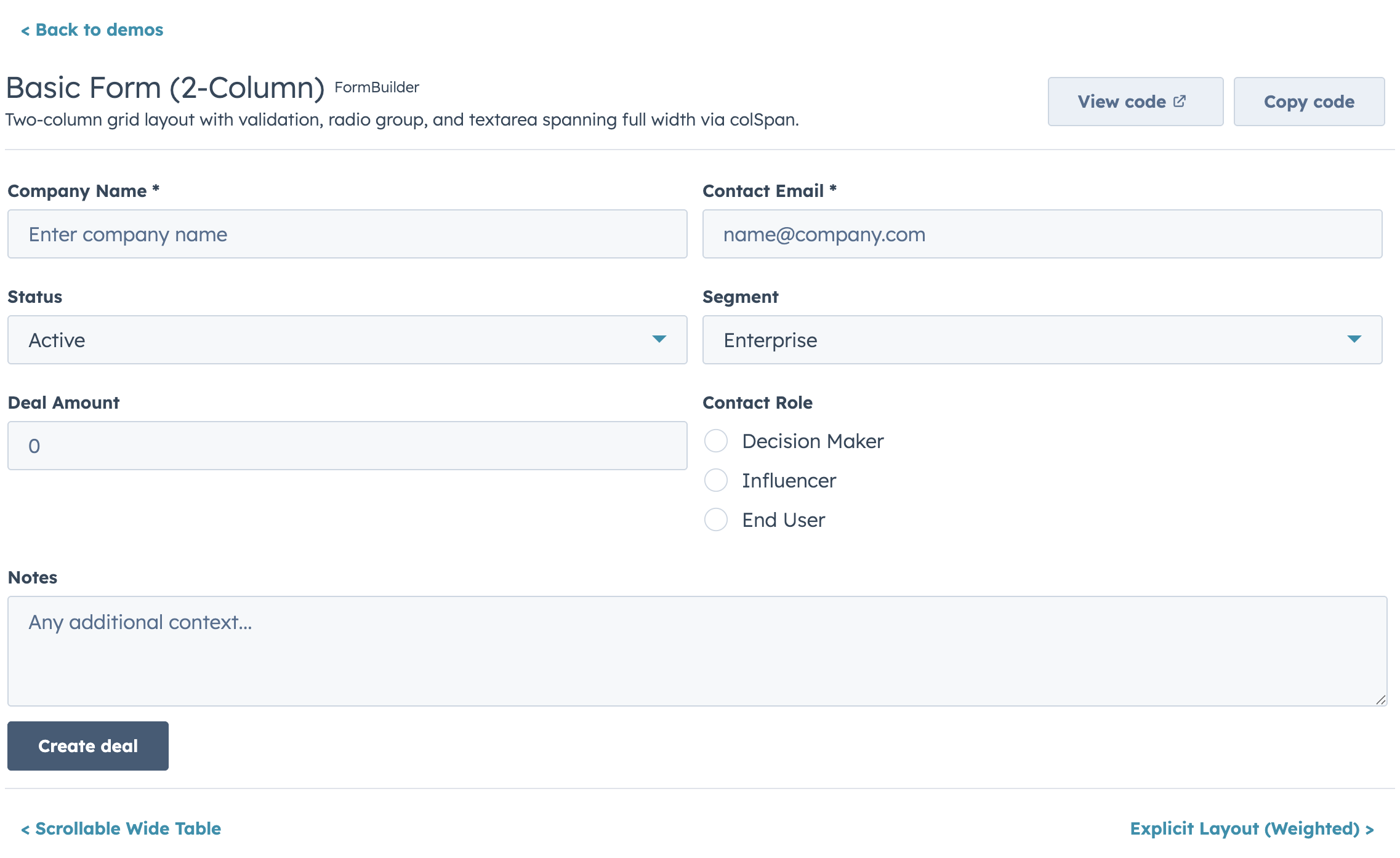
Declarative, config-driven forms for HubSpot UI Extensions. Define fields as data, get a complete form with validation, layout, multi-step wizards, and full HubSpot component integration.
Quick Start
import { FormBuilder } from "hs-uix/form";

const fields = [
  { name: "firstName", type: "text", label: "First name", required: true },
  { name: "lastName", type: "text", label: "Last name", required: true },
  { name: "email", type: "text", label: "Email", pattern: /^[^\s@]+@[^\s@]+$/, patternMessage: "Enter a valid email" },
];

<FormBuilder
  columns={2}
  fields={fields}
  onSubmit={(values) => console.log(values)}
/>
Features
- 20+ field types mapping to native HubSpot components (
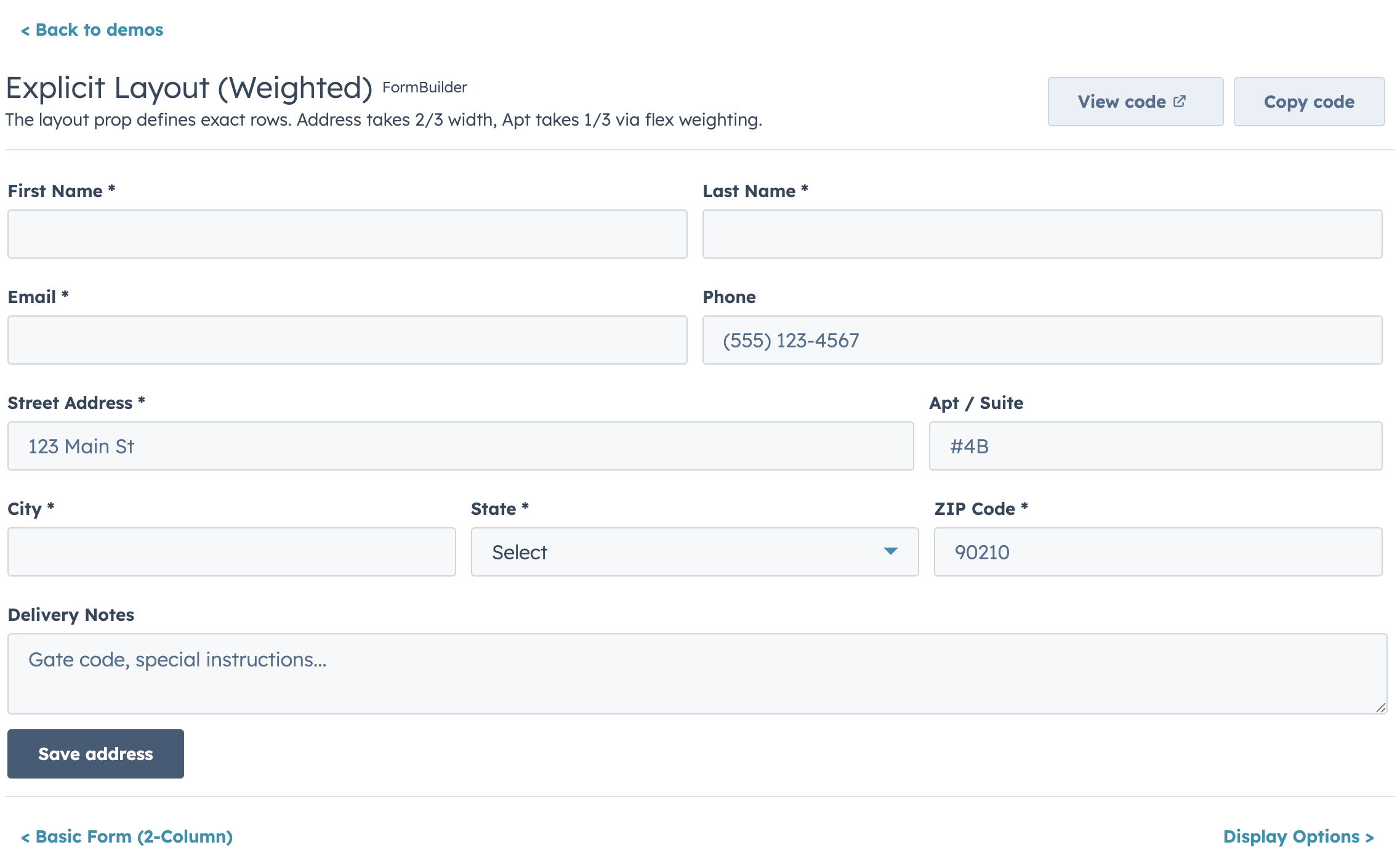
text,number,select,date,toggle,repeater,crmPropertyList, and more) - Four layout modes: fixed columns, responsive AutoGrid, explicit row layout, and legacy half-width
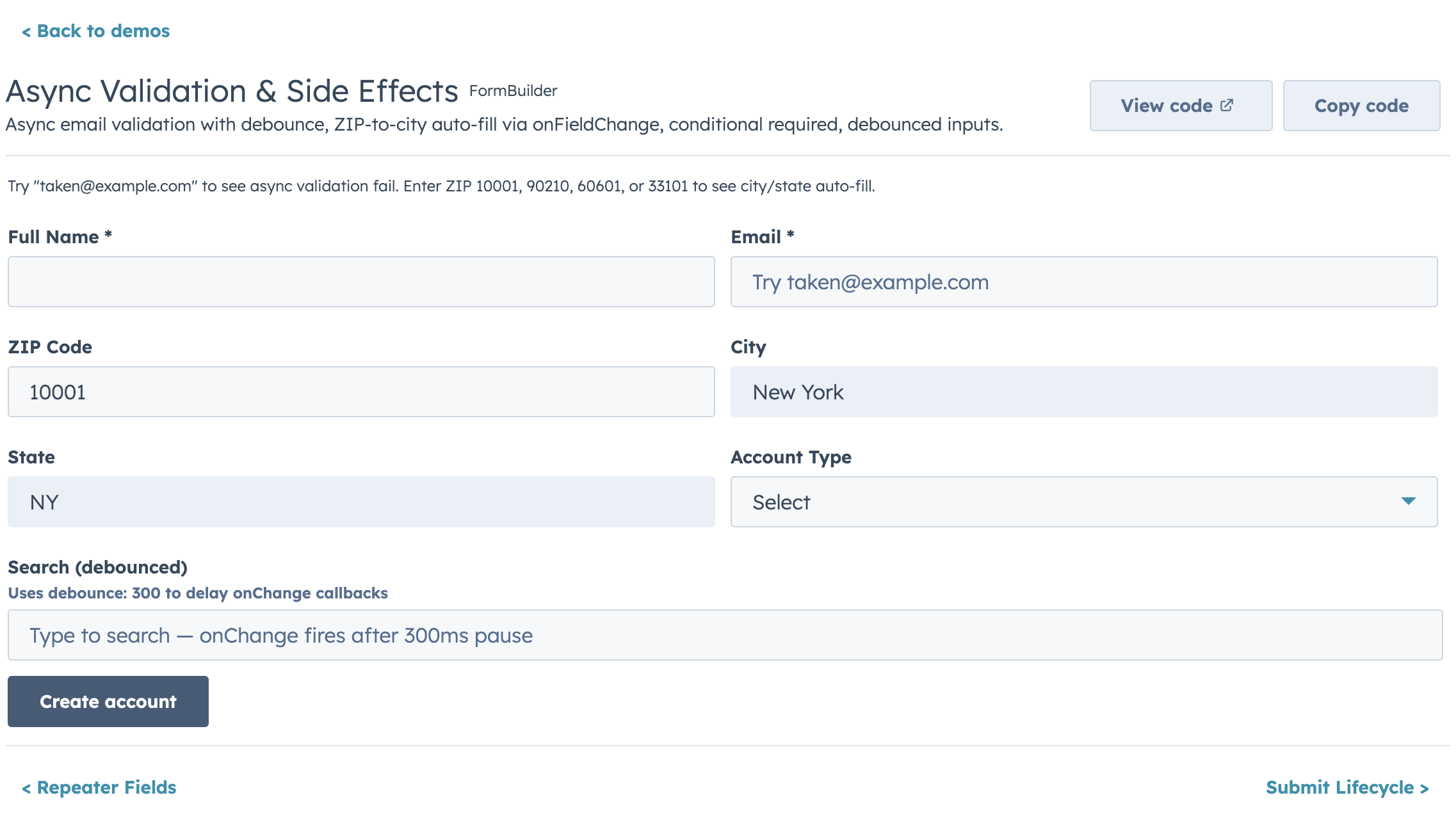
- Built-in validation chain: required, pattern, length/range, custom sync, and custom async with loading indicators
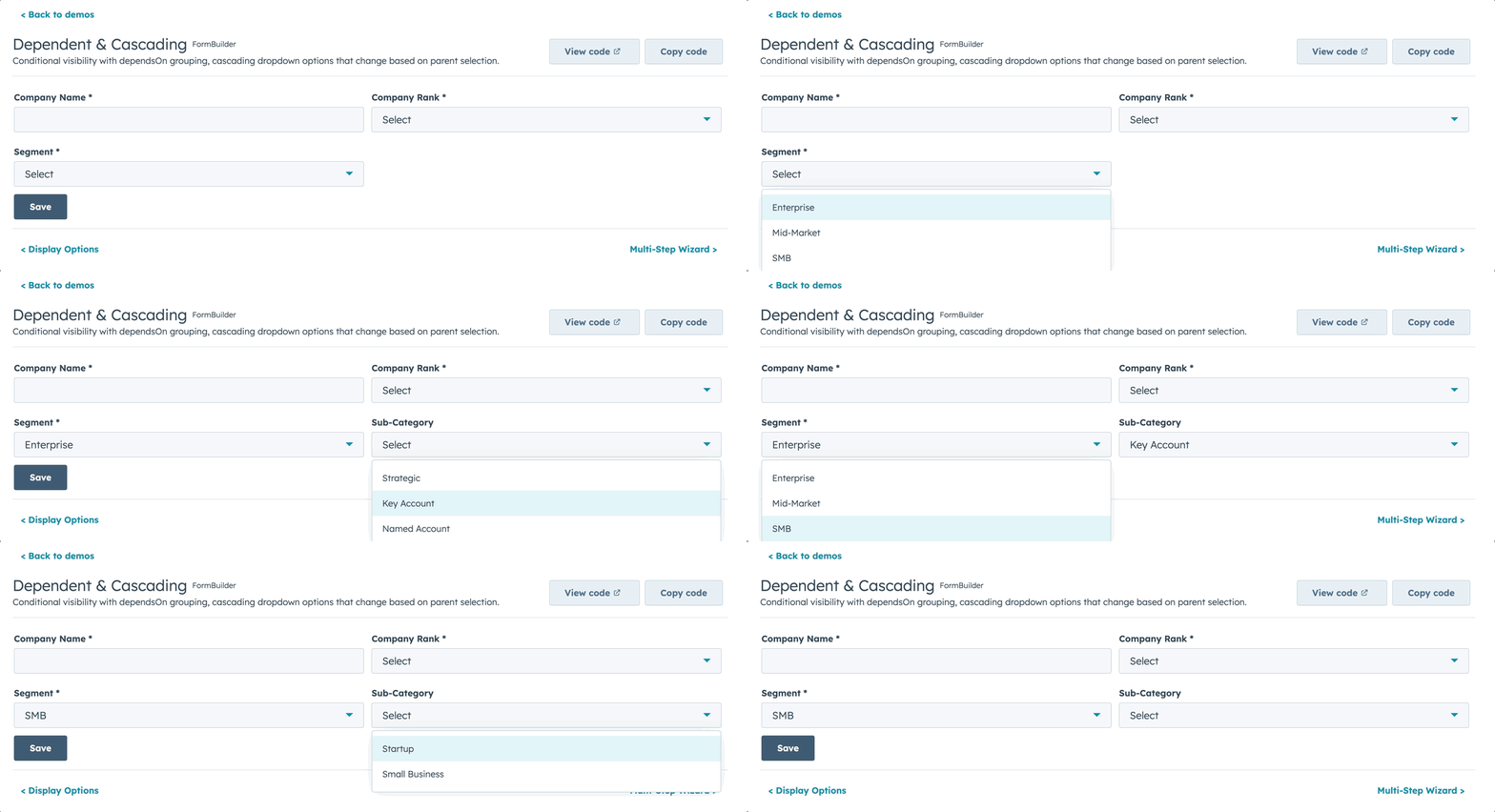
- Conditional visibility and dependent property grouping
- Multi-step wizards with per-step validation
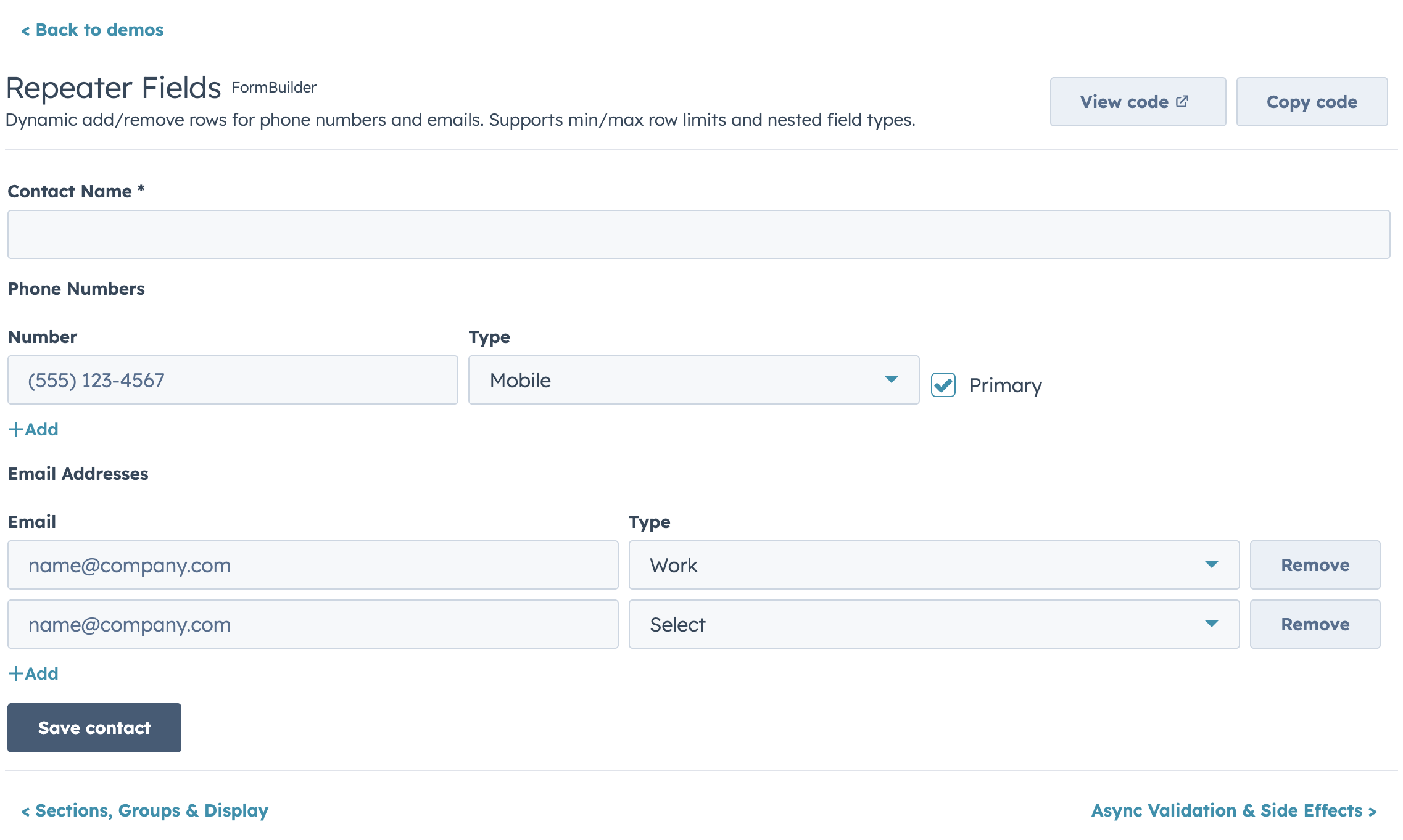
- Repeater fields for dynamic add/remove rows
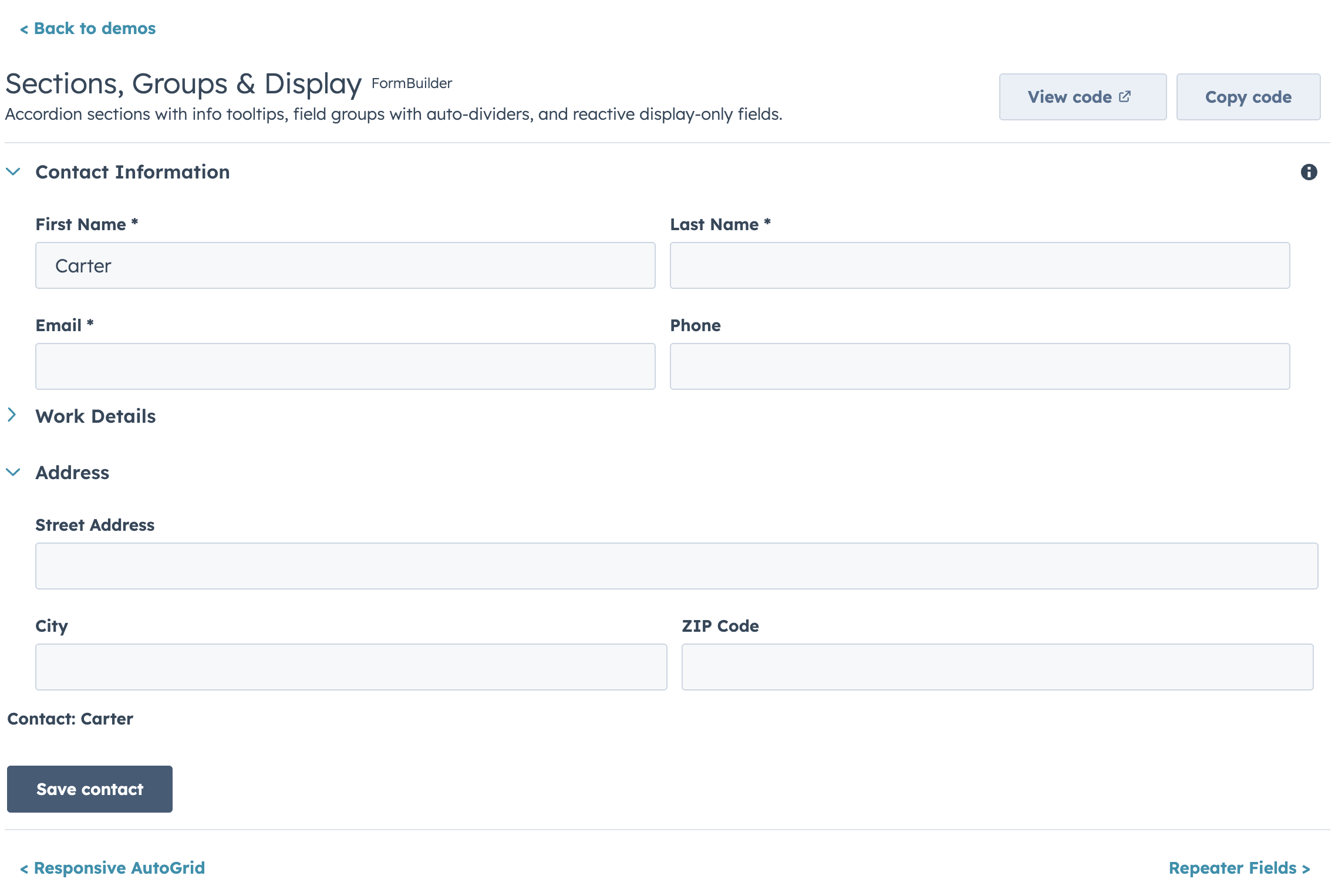
- Accordion sections and field group dividers
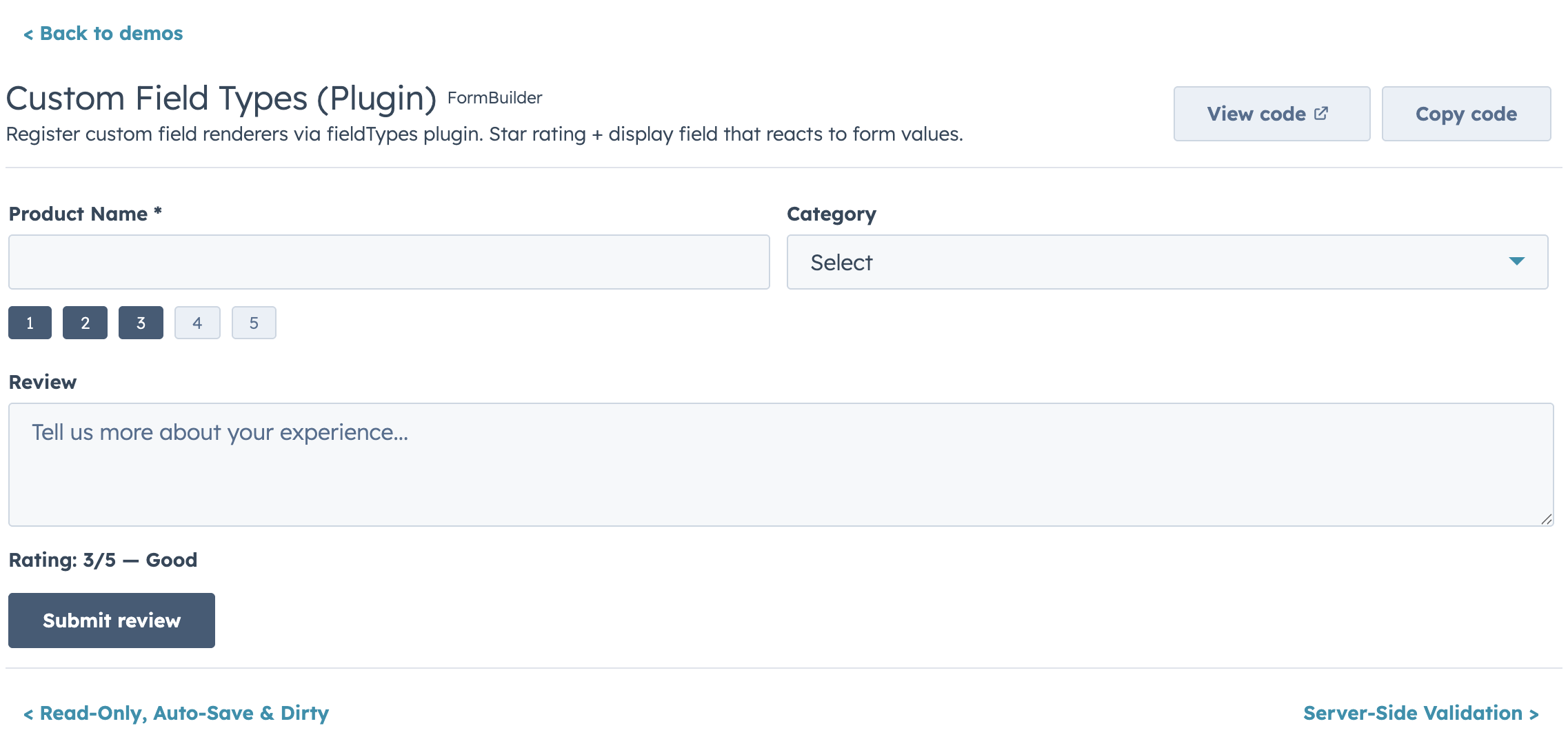
- Custom field type plugin registry
- Controlled and uncontrolled modes
- Ref API for imperative access (
submit,validate,reset,getValues,setFieldValue, etc.) - Submit lifecycle hooks (
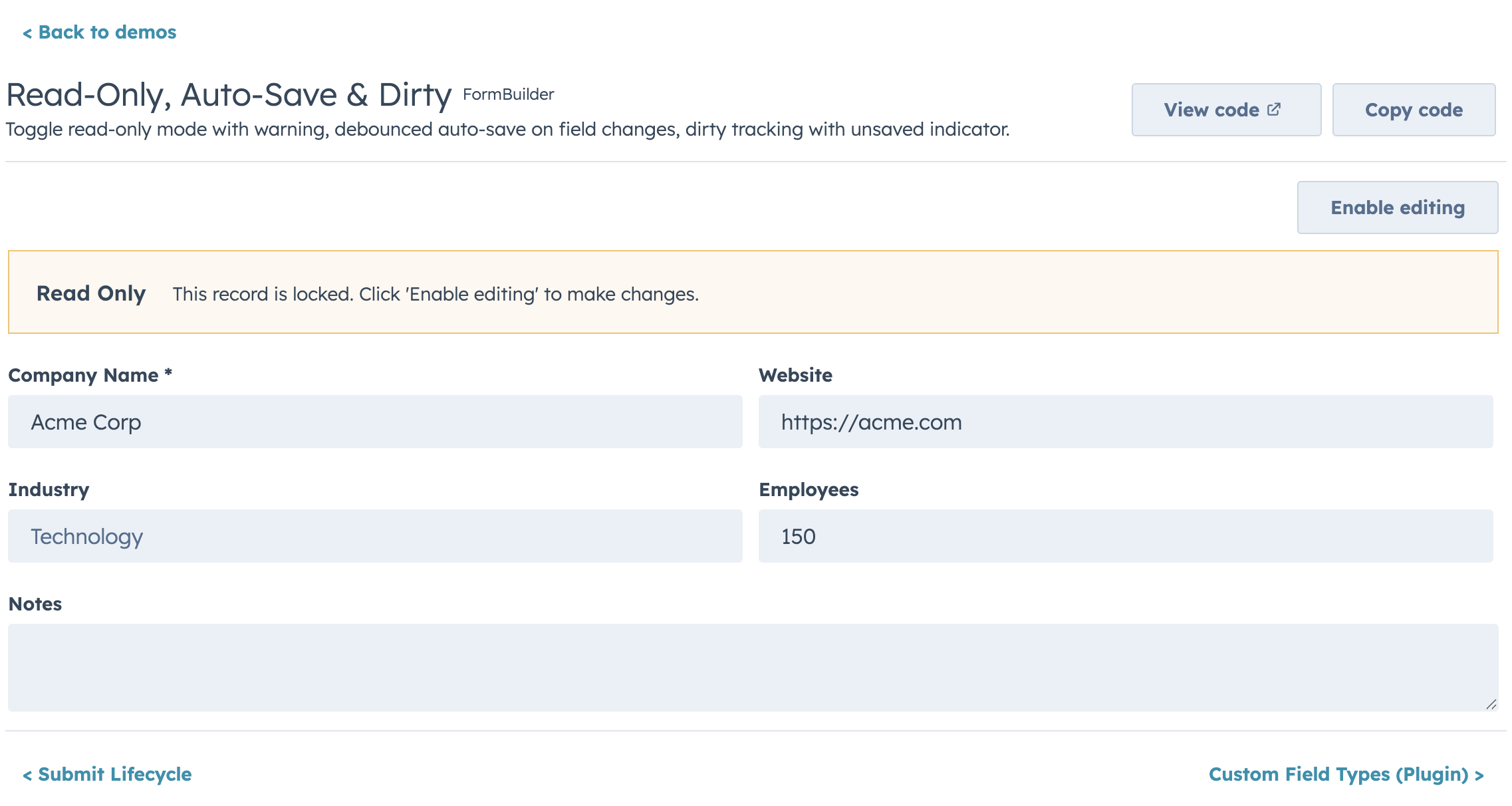
transformValues,onBeforeSubmit,onSubmitSuccess,onSubmitError) - Auto-save, dirty tracking, read-only mode, and form-level alerts
Highlights
Layout
Conditional Visibility & Dependent Properties
Async Validation
Repeater Fields
Sections & Groups
Custom Field Types
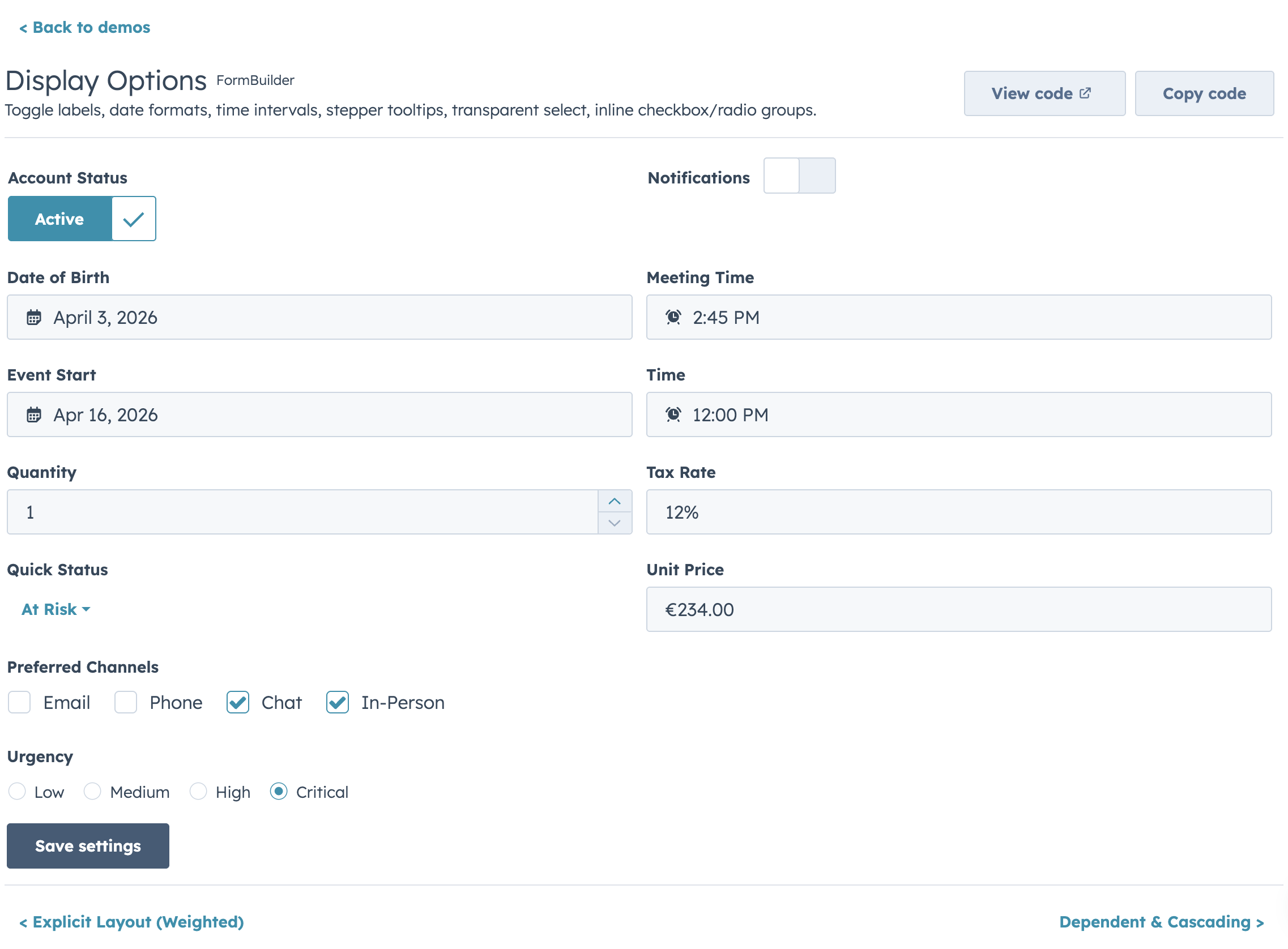
Display Options
Read-Only Mode
Kanban
A stage-based board view that shares DataTable's config vocabulary (cardFields ≈ columns, filters, sort, selection) so you can offer users a table-or-board toggle without rewriting the data layer. Drag-and-drop isn't available inside HubSpot UI Extensions, so stage changes happen through an inline Select (or menu) on each card.
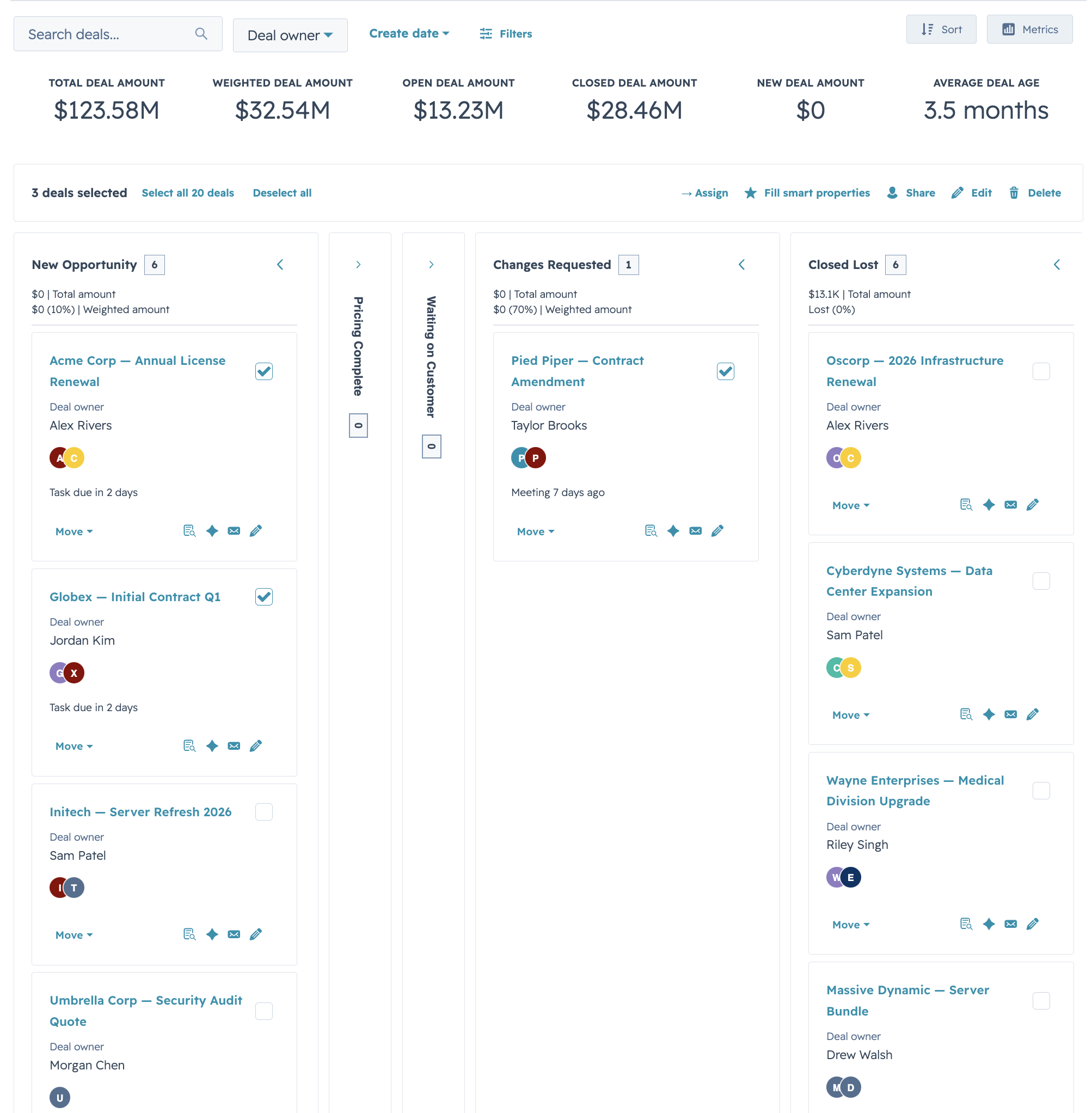
Quick Start
import { Kanban } from "hs-uix/kanban";
import { AutoTag } from "hs-uix/common-components";
import { formatCurrencyCompact, formatDate } from "hs-uix/utils";

const STAGES = [
  { value: "qualified",     label: "Qualified",      variant: "info" },
  { value: "proposal",      label: "Proposal",       variant: "info" },
  { value: "negotiation",   label: "Negotiation",    variant: "warning" },
  { value: "closed_won",    label: "Closed Won",     variant: "success", terminal: true },
  { value: "closed_lost",   label: "Closed Lost",    variant: "default", terminal: true },
];

const CARD_FIELDS = [
  { field: "name",      placement: "title" },
  { field: "company",   placement: "subtitle" },
  { field: "amount",    placement: "meta",   render: (val) => formatCurrencyCompact(val) },
  { field: "segment",   placement: "body",   render: (val) => <AutoTag value={val} /> },
  { field: "closeDate", placement: "footer", render: (val) => formatDate(val) },
];

<Kanban
  data={deals}
  stages={STAGES}
  groupBy="stage"
  cardFields={CARD_FIELDS}
  onStageChange={(row, newStage) => updateDealStage(row.id, newStage)}
/>
Features
- Stage-based columns with variant-colored headers (
success/warning/info/default), collapse-to-rail, and stage-level count badges cardFieldswith placement (title/subtitle/meta/body/footer) — same render/truncate/visible hooks as DataTable columns- Filters and sort with the same config shape as DataTable (
select,multiselect,dateRange) - Headline metrics rendered above the board (deal totals, weighted pipeline, win rate) via a
metricsprop - Stage transition prompts — async confirmation or extra-property capture before committing a stage change, declared per-stage via
stage.onEnterRequired.render - Selection bar + card actions for bulk moves, deletes, or custom handlers (
KanbanCardActions) - Empty / loading / error render slots that mirror DataTable's override API
- Paired view adapters — use
deriveCardFieldsFromColumnsfromhs-uix/utilsto project a DataTablecolumnsconfig into KanbancardFieldswith a single function call
Highlights
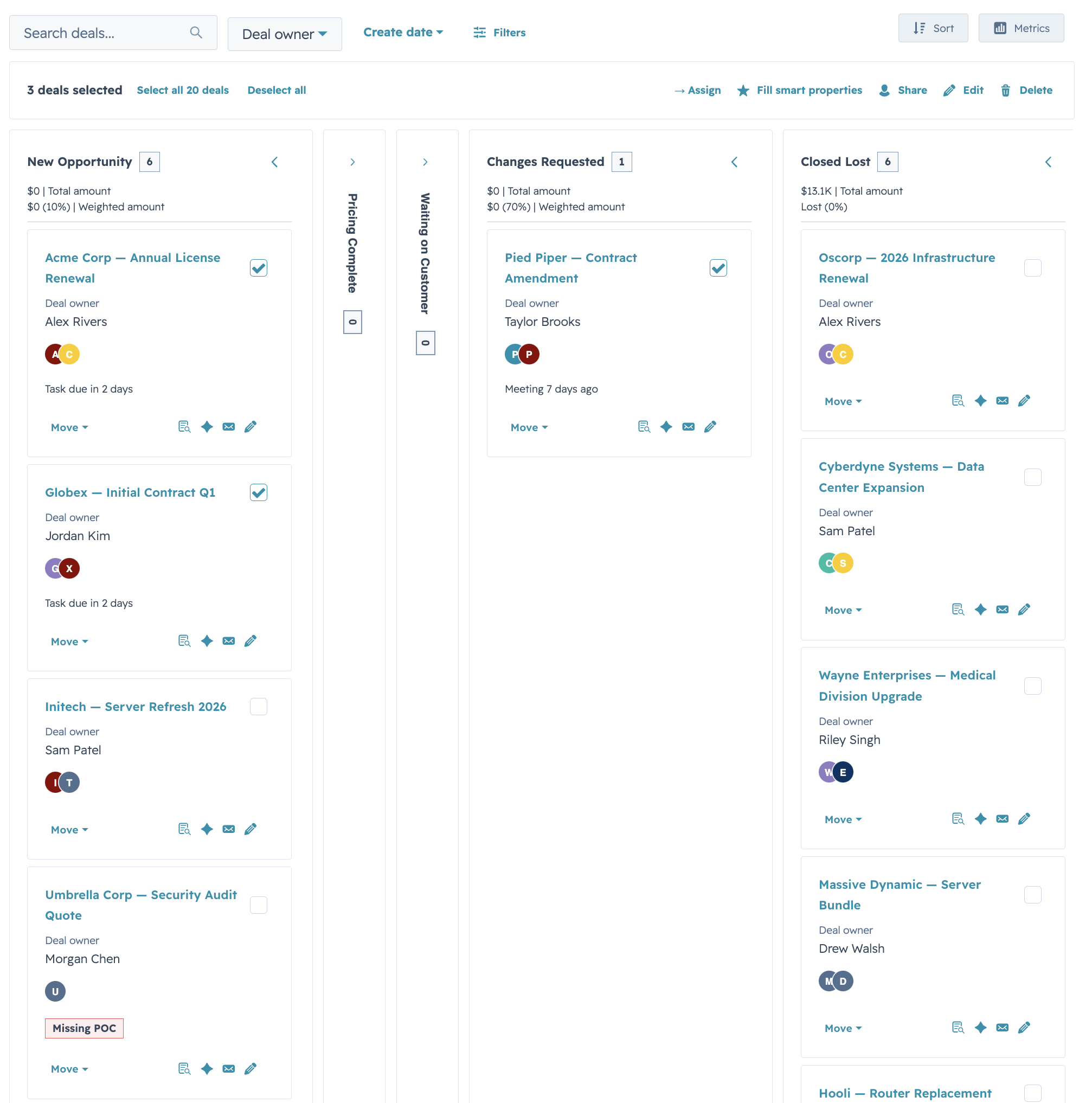
HubSpot Deals preset
Drop-in preset shaped like HubSpot's native deals pipeline: stage-variant headers, per-stage amount totals in the header metric, and an avatar-stack footer row. Hide the summary row with showMetrics={false} for dashboards that already surface totals elsewhere.
Compact lead board
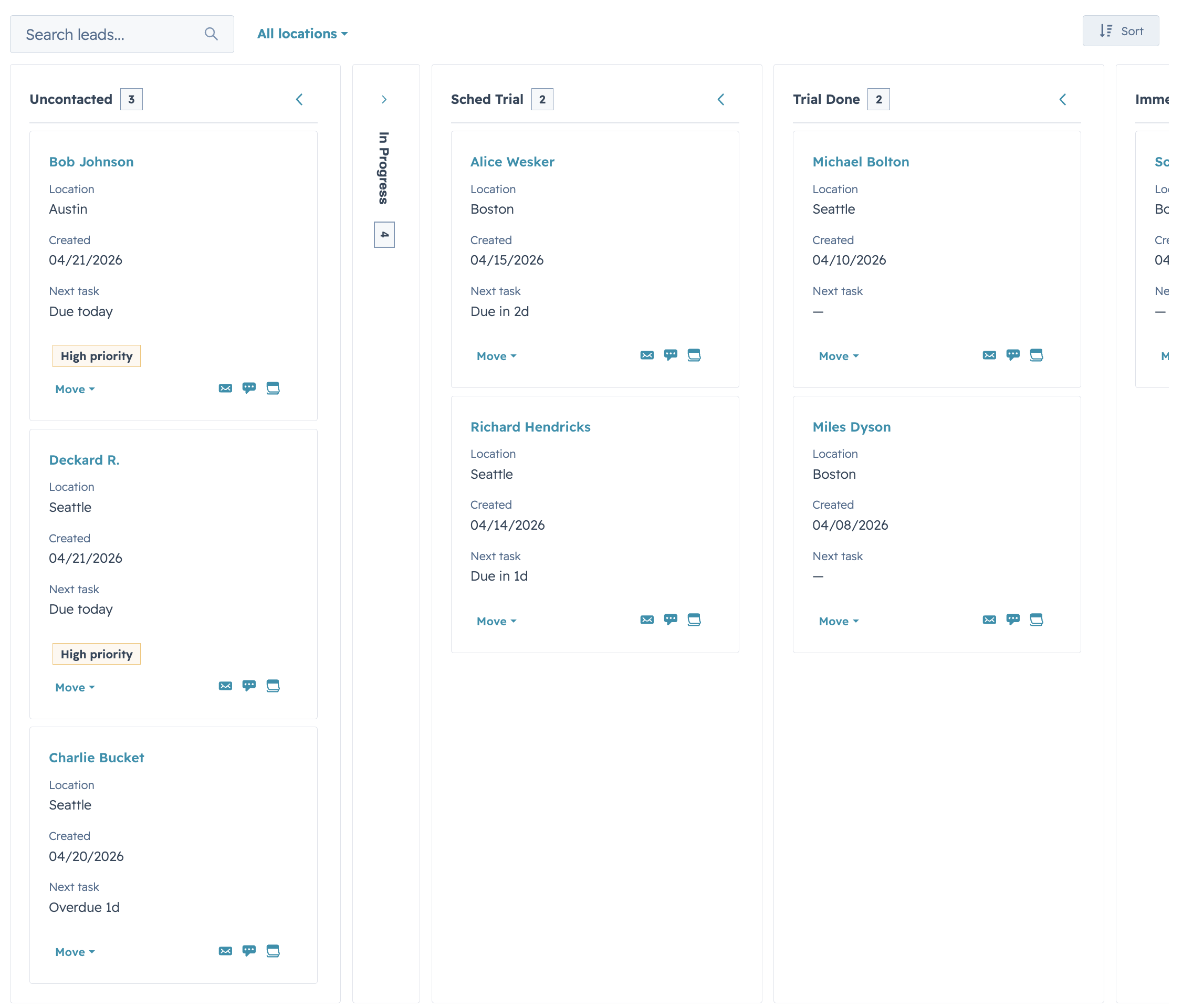
cardDensity="compact" with trimmed cardFields for high-volume boards (leads, tickets, tasks) where you want to fit 8-12 cards per column on a typical viewport without horizontal scrolling.
Load-more & stage controls
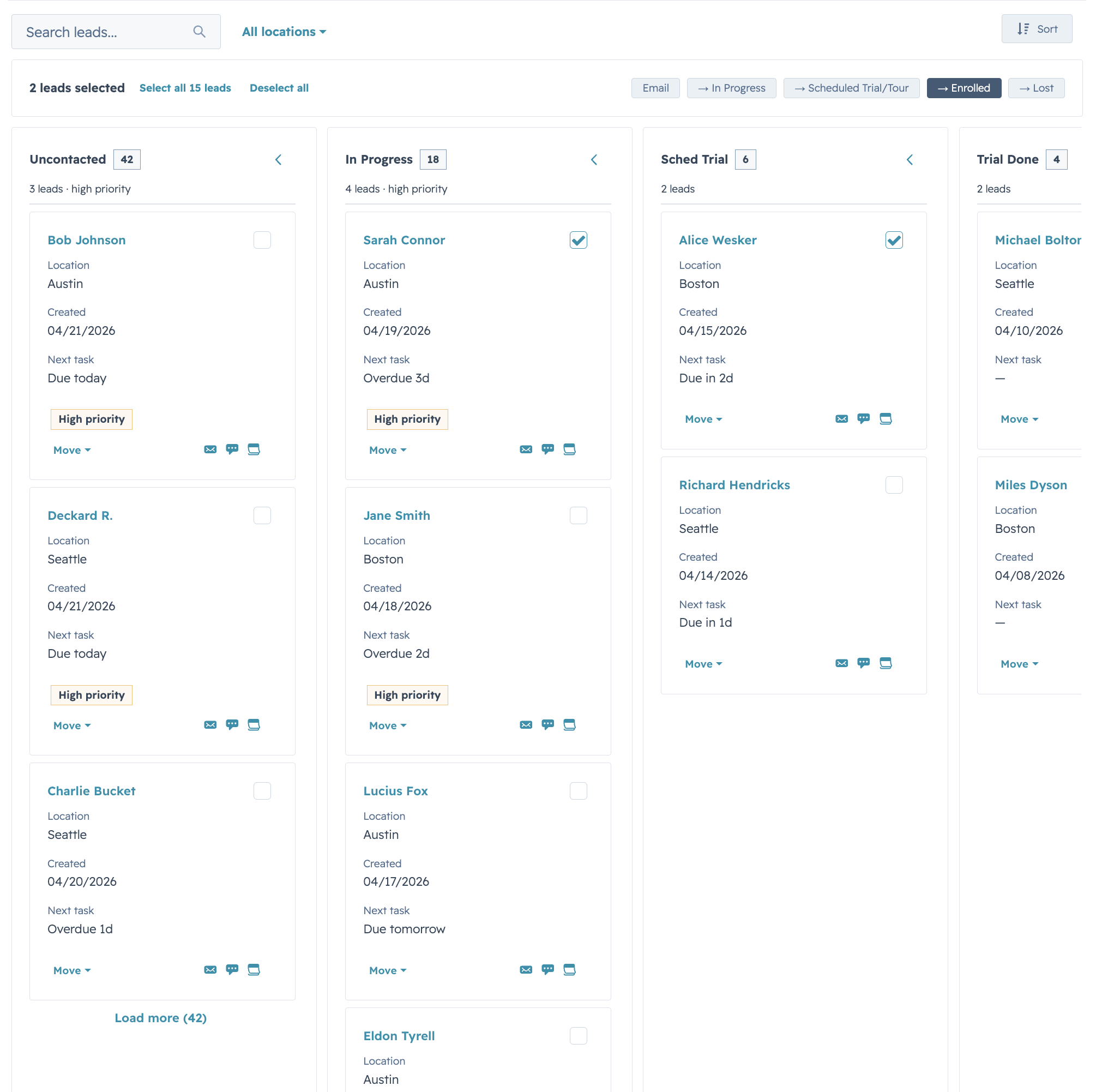
Per-stage pagination via an onLoadMore handler and stageMeta.hasMore, plus inline Select stage controls on each card (stageControl="select"). Switch to "menu" for action-menu style transitions, or "none" for read-only boards.
Common Components
Thin, composable visual wrappers built on HubSpot's native primitives — the reusable pieces that show up across DataTable rows, FormBuilder cells, and Kanban cards. Use them to skip rewriting the same status-tag / avatar-stack / label-value block on every surface.
Quick Start
import {
  AutoStatusTag,
  AutoTag,
  AvatarStack,
  SectionHeader,
  KeyValueList,
  StyledText,
  HS_DATE_PRESETS,
} from "hs-uix/common-components";
import { formatCurrency } from "hs-uix/utils";

<SectionHeader
  title="Deal Summary"
  description="A compact summary block using common components."
/>

<KeyValueList
  items={[
    { label: "Status", value: <AutoStatusTag value="At risk" /> },
    { label: "Segment", value: <AutoTag value="Enterprise" /> },
    { label: "Owners", value: <AvatarStack items={["AR", "JK", "SP", "MB", "LM"]} maxVisible={4} /> },
    { label: "Pipeline", value: formatCurrency(245000) },
  ]}
/>
What's inside
AutoStatusTag—StatusTagwith variant inferred from the value (Active→ success,At risk→ warning,Failed→ danger, etc.)AutoTag—Tagwith the same inference, for non-status labelsAvatarStack— overlapping circular avatars as a single SVG (letters, image URLs, or mixed);+Noverflow chip pastmaxVisibleSectionHeader— title + optional description + actions slotKeyValueList— vertical list of label/value rows viaDescriptionListStyledText— SVG-rendered text with rotation, custom color, and pill backgrounds for cases native<Text>can't express
Plus low-level builders (makeAvatarStackDataUri, makeStyledTextDataUri) that return { src, width, height } for composing into larger SVGs, and style constants (HS_FONT_FAMILY, HS_TEXT_COLOR, HS_SUBTLE_BG, HS_MUTED_TEXT, HS_NEUTRAL_CHIP) that mirror HubSpot's native CSS — so custom SVGs sit alongside the rest of the UI without a color mismatch.
Highlights
AutoTag & AutoStatusTag
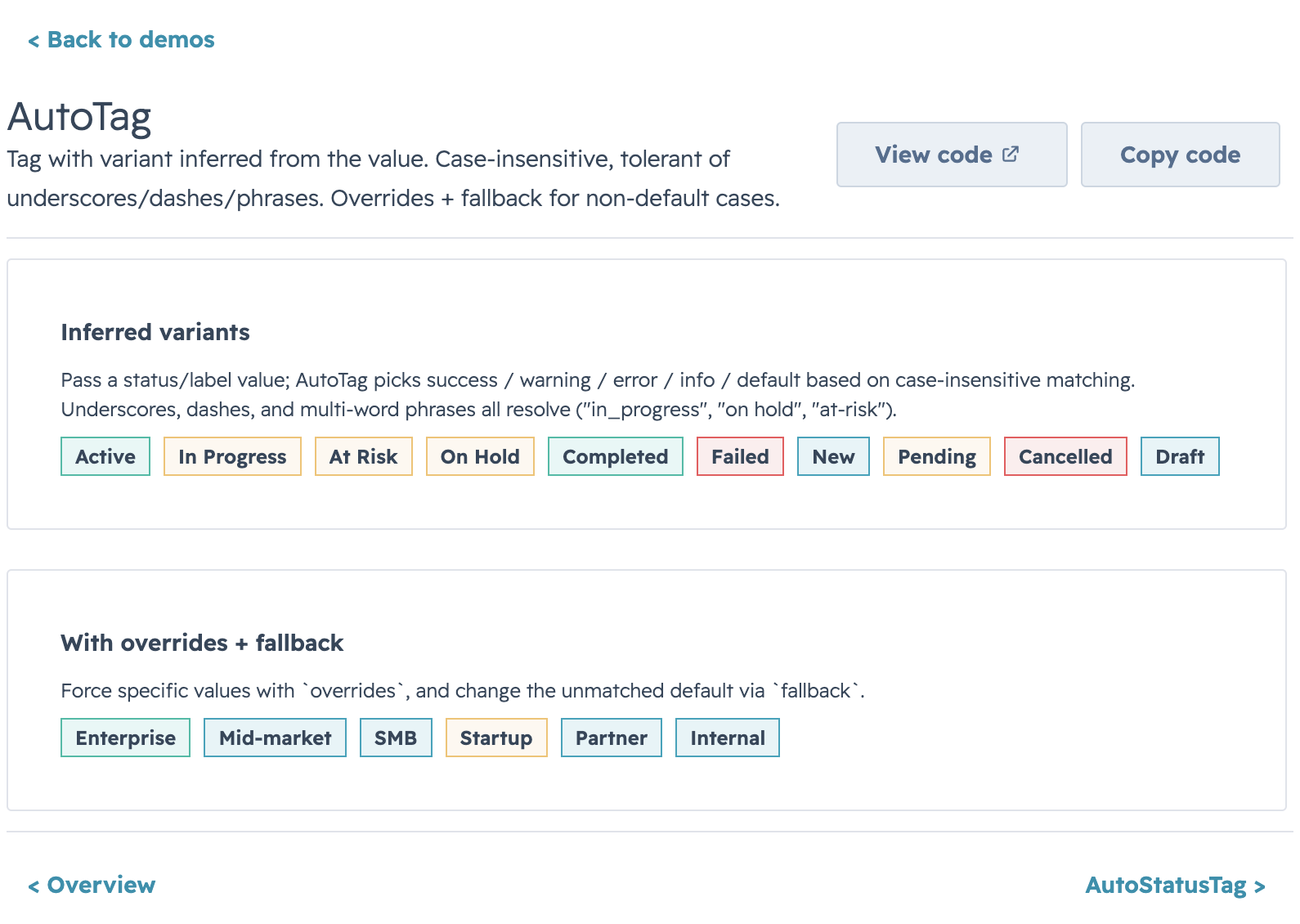
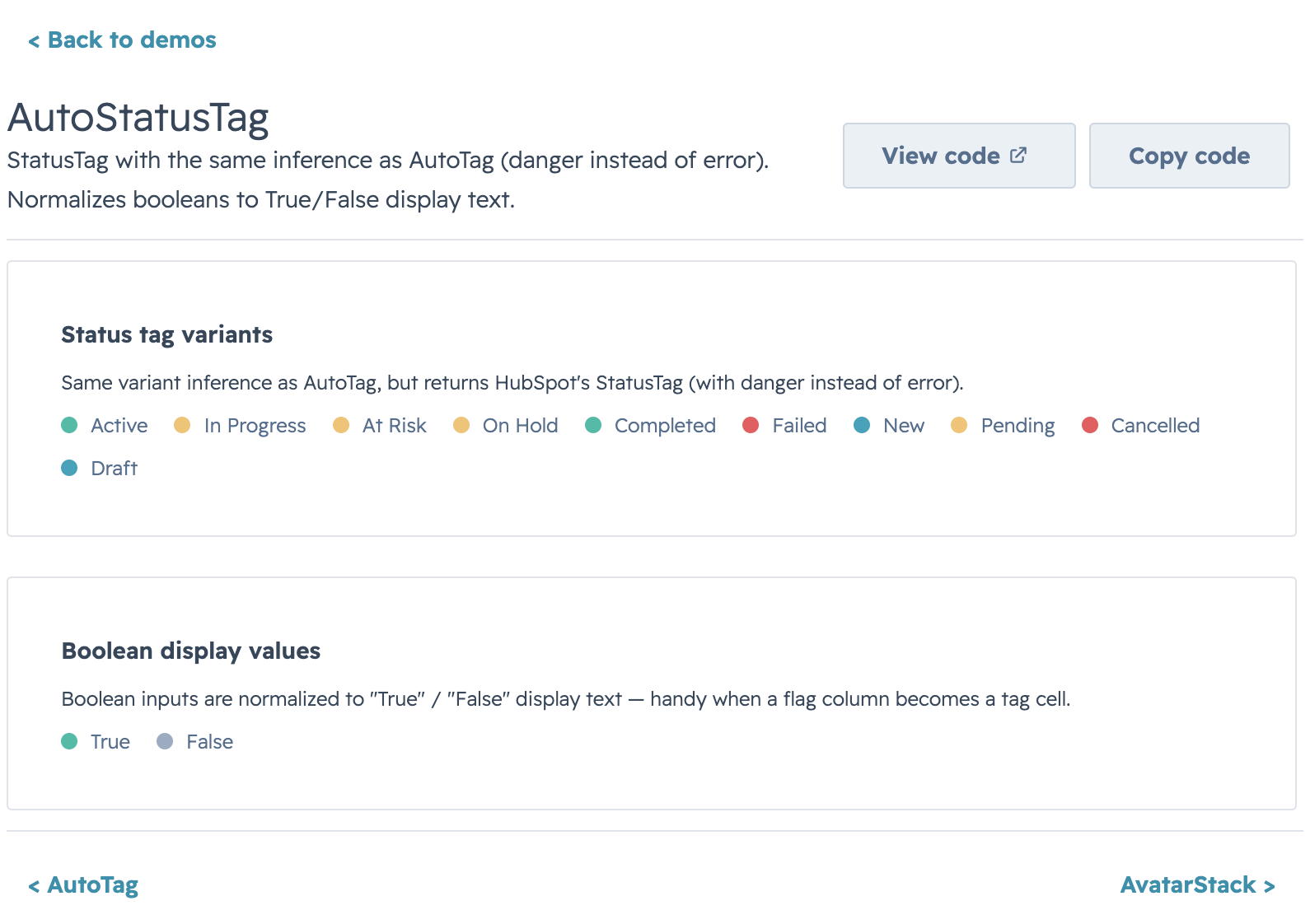
Pass a free-form status string and get a properly-colored tag back. Matching is case-insensitive and tolerates underscores / dashes / phrases ("in_progress", "on hold", "at-risk" all resolve). Override via overrides={{ "Processing": "warning" }} and fallback="info" for values that don't match built-in heuristics.
AvatarStack
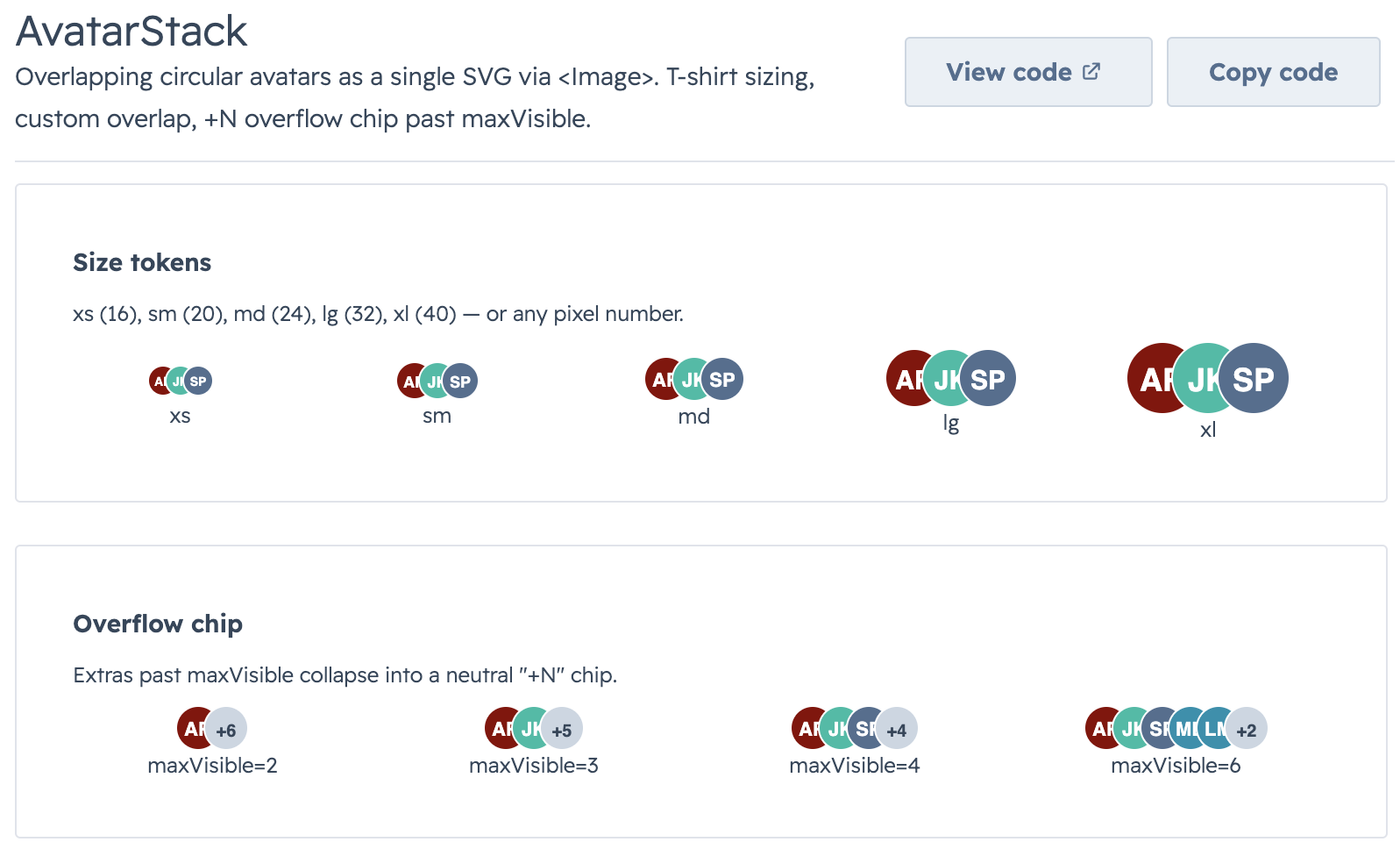
Overlapping avatars rendered as a single SVG via <Image>. T-shirt sizing (xs → xl) or a raw pixel number. Letters auto-color from the built-in palette; image URLs get circular-clipped. Extras past maxVisible collapse into a neutral +N chip.
SectionHeader & KeyValueList
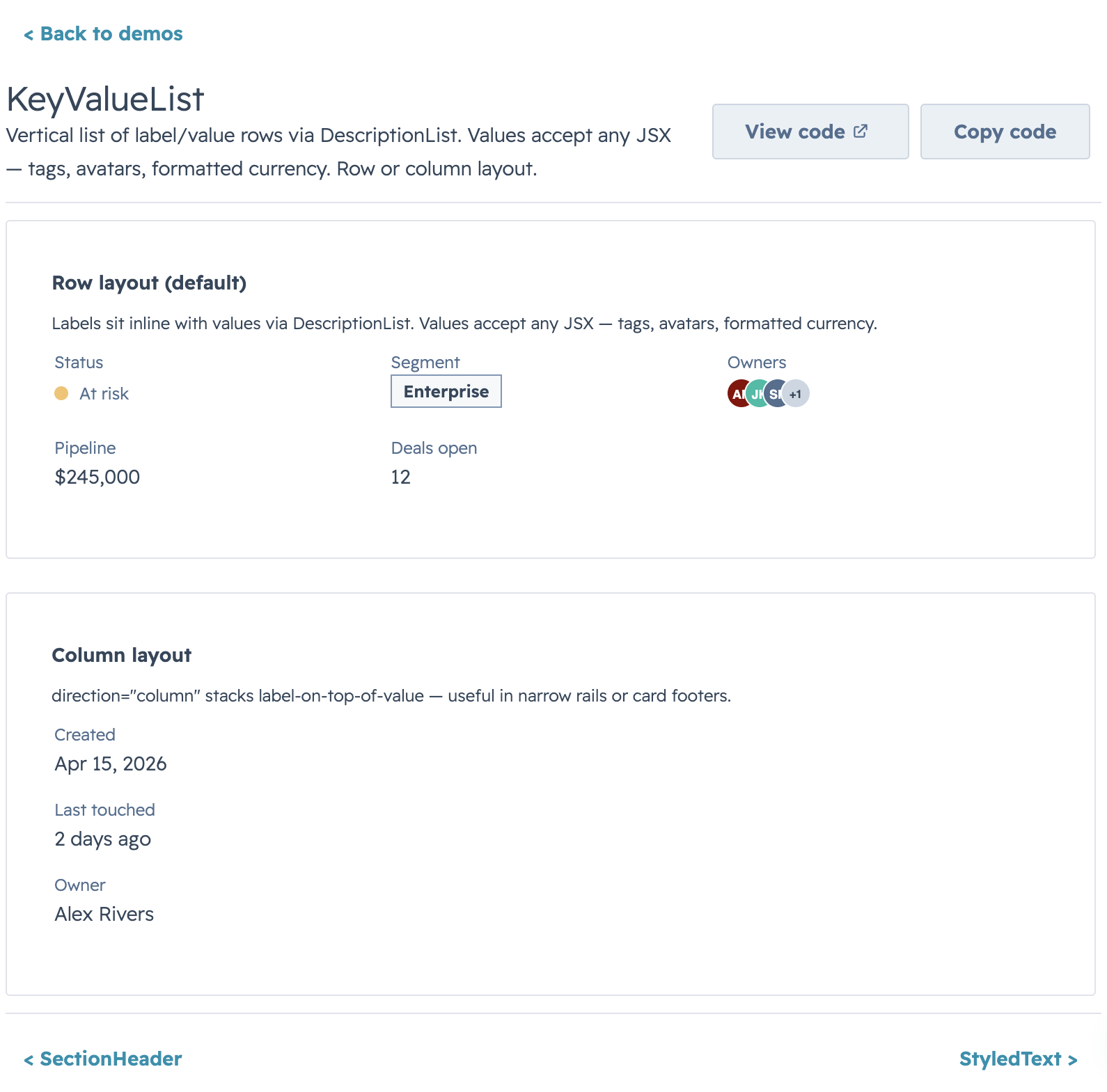
Pair SectionHeader (title / description / action slot) with KeyValueList (DescriptionList rows) for compact summary panels. direction="column" on the list switches to stacked label-on-top rows.
StyledText
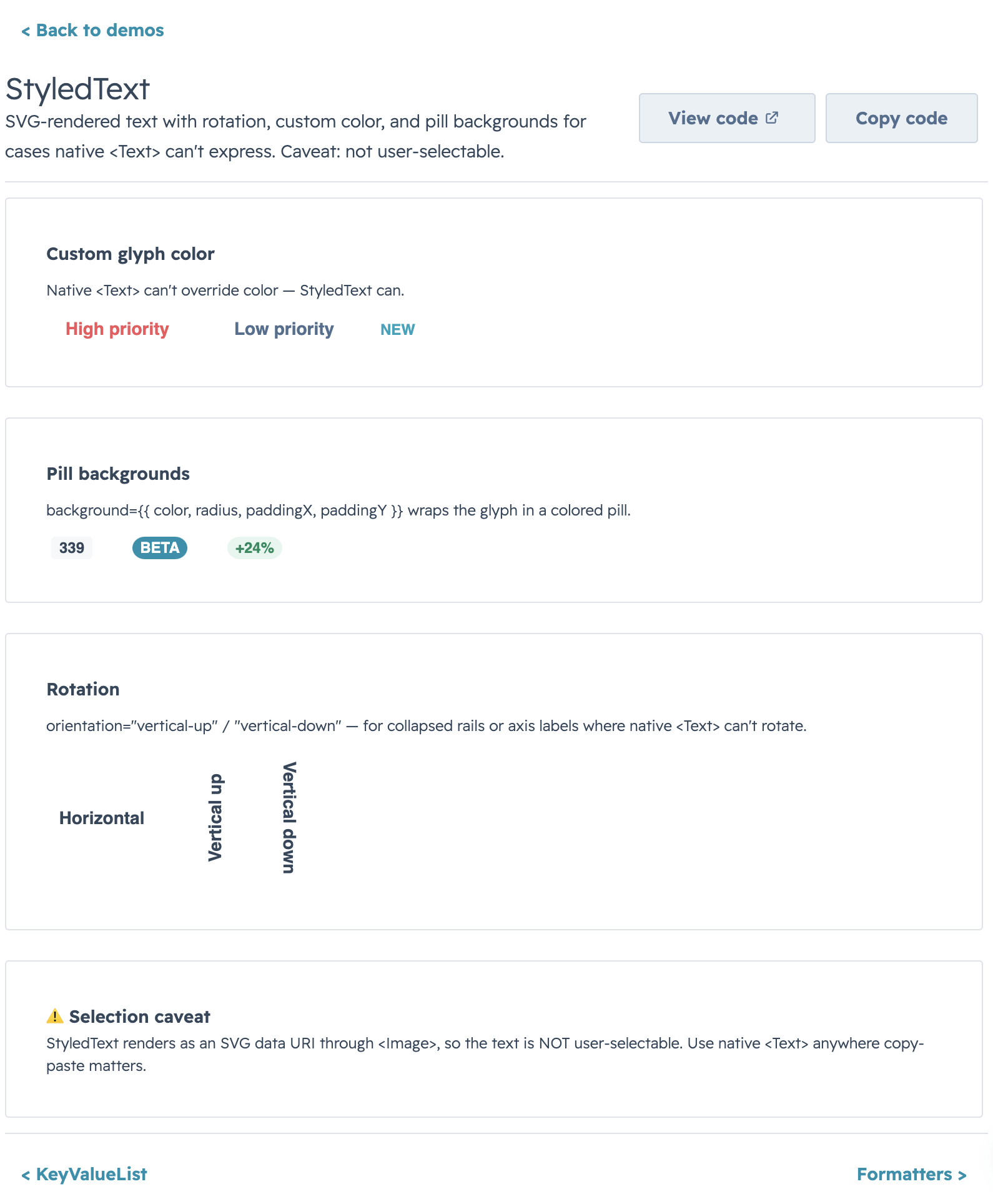
Reach for StyledText when native <Text> can't do what you need: vertical rail labels (orientation="vertical-down"), HubSpot-style pill badges (background={{ preset: "tag" }}), or a specific glyph color. Plain horizontal preset: "tag" usage renders through native HubSpot Tag; rotated/custom tag cases still use the SVG fallback. Use native <Text> anywhere copy-paste matters.
HS_DATE_PRESETS
HubSpot's native quick-date preset list (Today, Last 7 days, This quarter, …) as a ready-to-use options array for DataTable / Kanban select filters. Values are stable identifiers ("today", "7d", "this_quarter") — translate to date bounds via filterFn or server-side in onFilterChange.
Utils
Pure helper functions for formatting values, building option arrays, detecting HubSpot-shaped date/time objects, and inferring tag variants from raw data. Zero side effects, no JSX — drop them into renderCell, sortComparator, or a server handler.
Quick Start
import {
  formatCurrency,
  formatCurrencyCompact,
  formatDate,
  formatDateTime,
  formatPercentage,
  buildOptions,
  findOptionLabel,
  getAutoTagVariant,
  createStatusTagSortComparator,
  sumBy,
} from "hs-uix/utils";

formatCurrency(1234.56);              // → "$1,235"
formatCurrencyCompact(123_580_000);   // → "$123.6M"
formatDate("2026-04-15");             // → "Apr 15, 2026"
formatPercentage(0.1567);             // → "16%"

const statusOptions = buildOptions(
  [{ name: "Open", id: "o" }, { name: "Closed", id: "c" }],
  { labelKey: "name", valueKey: "id" },
);
findOptionLabel(statusOptions, "o"); // → "Open"

getAutoTagVariant("At risk");         // → "warning"
sumBy(deals, "amount");               // → total
What's inside
formatters.js— locale-awareIntl-based number / currency / date / percentage formatters. Every formatter accepts a trailing options object that spreads into the underlyingIntlcall, so anythingIntl.NumberFormatsupports (narrow symbol, specific fraction digits, grouping) is reachable without a new helper.options.js—buildOptions(items, opts?)to shape raw arrays into{ label, value }for HubSpotSelect/MultiSelect;findOptionLabel(options, value, fallback?)for the reverse lookup.hubspotValues.js— type guards for HubSpot'sDateInput/TimeInput/DateTimeInputvalue shapes (isDateValueObject,isTimeValueObject,isDateTimeValueObject). Use infilterFnorsortComparatorto distinguish a HubSpot date-object from a raw string/Date.tagVariants.js— heuristic mappers from free-form status strings to semantic tag variants (getAutoTagVariant,getAutoStatusTagVariant,getAutoTagDisplayValue) pluscreateStatusTagSortComparatorfor DataTable columns grouped by color, then alphabetical within each color.collections.js—sumBy(items, keyOrFn)for total / weighted-total rows, safe againstnull/ missing values.
Highlights
Formatters
formatCurrency(9500, { currency: "EUR" });            // → "€9,500"
formatCurrencyCompact(4160);                          // → "$4.2K"
formatDate(Date.now(), { month: "numeric" });         // → "4/15/2026"
formatDateTime("2026-04-15T14:30:00Z");               // → "Apr 15, 2026, 9:30 AM" (local)
formatPercentage(0.1567, { maximumFractionDigits: 1 });// → "15.6%"
Every formatter treats null / undefined as safe — formatCurrency(null) → "$0", formatDate(null) → "" — so they're safe to drop into cells rendering partially-loaded data.
Tag Variants
The same inference that powers AutoTag / AutoStatusTag, exposed as plain functions for use in custom cells and sort comparators. Default ordering: success → warning → danger/error → info → default; override via variantOrder on createStatusTagSortComparator.
Options & HubSpot Value Guards
Build select options from CRM records, resolve labels back to values, and detect HubSpot's structured date/time value objects in one import — no more ad-hoc .map(r => ({ label: r.name, value: r.id })) at every call site.
Migrating from @hs-uix/datatable or @hs-uix/form
Both packages have been merged into hs-uix. Update your imports:
- import { DataTable } from "@hs-uix/datatable";
+ import { DataTable } from "hs-uix/datatable";

- import { FormBuilder } from "@hs-uix/form";
+ import { FormBuilder } from "hs-uix/form";
npm uninstall @hs-uix/datatable @hs-uix/form
npm install hs-uixLicense
MIT