
Package Exports
- html-attribute-sorter
- html-attribute-sorter/dist/main.js
This package does not declare an exports field, so the exports above have been automatically detected and optimized by JSPM instead. If any package subpath is missing, it is recommended to post an issue to the original package (html-attribute-sorter) to support the "exports" field. If that is not possible, create a JSPM override to customize the exports field for this package.
Readme
html-attribute-sorter
An html attribute sorter.
You can sort attributes by alphabetical, code guide or idiomatic order.
Installation
$ npm install html-attribute-sorter
# yarn
$ yarn add html-attribute-sorter
Usage
const { sortAttributes } = require("html-attribute-sorter");

// pass html tags that includes attributes
// default: code guide order
sortAttributes(`<img src="foo" class="img b-30" id="img_10">`);
// => <img class="img b-30" id="img_10" src="foo">

// alphabetical order
sortAttributes(`<img src="foo" alt="title" class="img b-30" id="img_10">`, {
  strategy: "alphabetical",
});
// => <img alt="title" class="img b-30" id="img_10" src="foo">

// idiomatic order
sortAttributes(`<img src="foo" alt="title" class="img b-30" id="img_10">`, {
  strategy: "idiomatic",
});
// => <img class="img b-30" id="img_10" alt="title" src="foo">
API
functions
sortAttributes(body: string, options: ISortOption)
body: html tag string e.g. <img src="..." alt="title" class="pg-10">
Interfaces
ISortOption
export interface ISortOption {
  strategy: string;
}| key | value |
|---|---|
| strategy | A strategy to sort attributes. You can specify alphabetical, code_guide or idiomatic. default: code_guide |
Testing
$ yarn install
$ yarn run test
Benchmarking
$ yarn run benchmark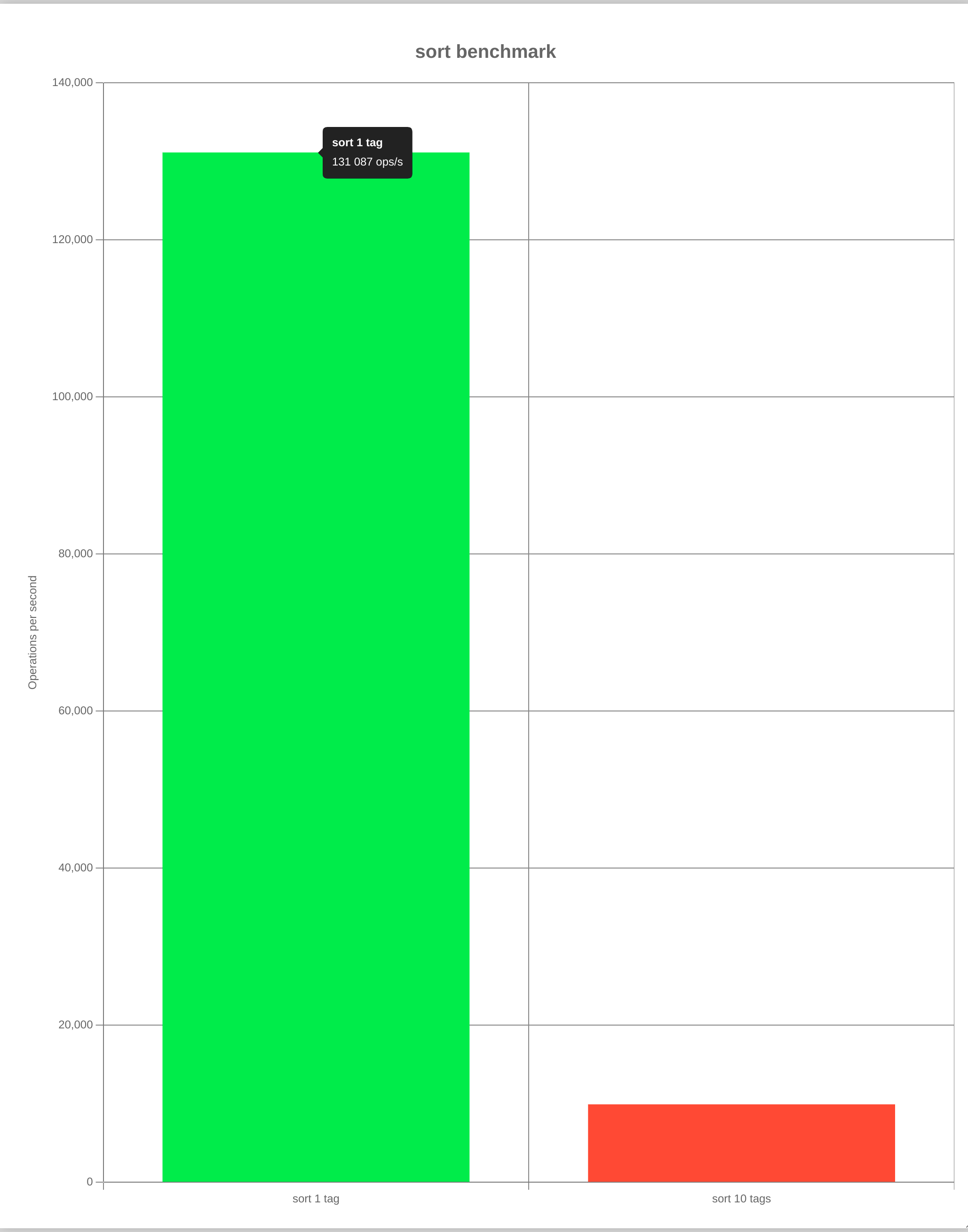
Contributing
- Fork it
- Create your feature branch (
git checkout -b my-new-feature) - Commit your changes (
git commit -am 'Add some feature') - Push to the branch (
git push origin my-new-feature) - Create new Pull Request
LICENSE
MIT