

Package Exports
- react-keyboard
This package does not declare an exports field, so the exports above have been automatically detected and optimized by JSPM instead. If any package subpath is missing, it is recommended to post an issue to the original package (react-keyboard) to support the "exports" field. If that is not possible, create a JSPM override to customize the exports field for this package.
Readme
React HotKeys
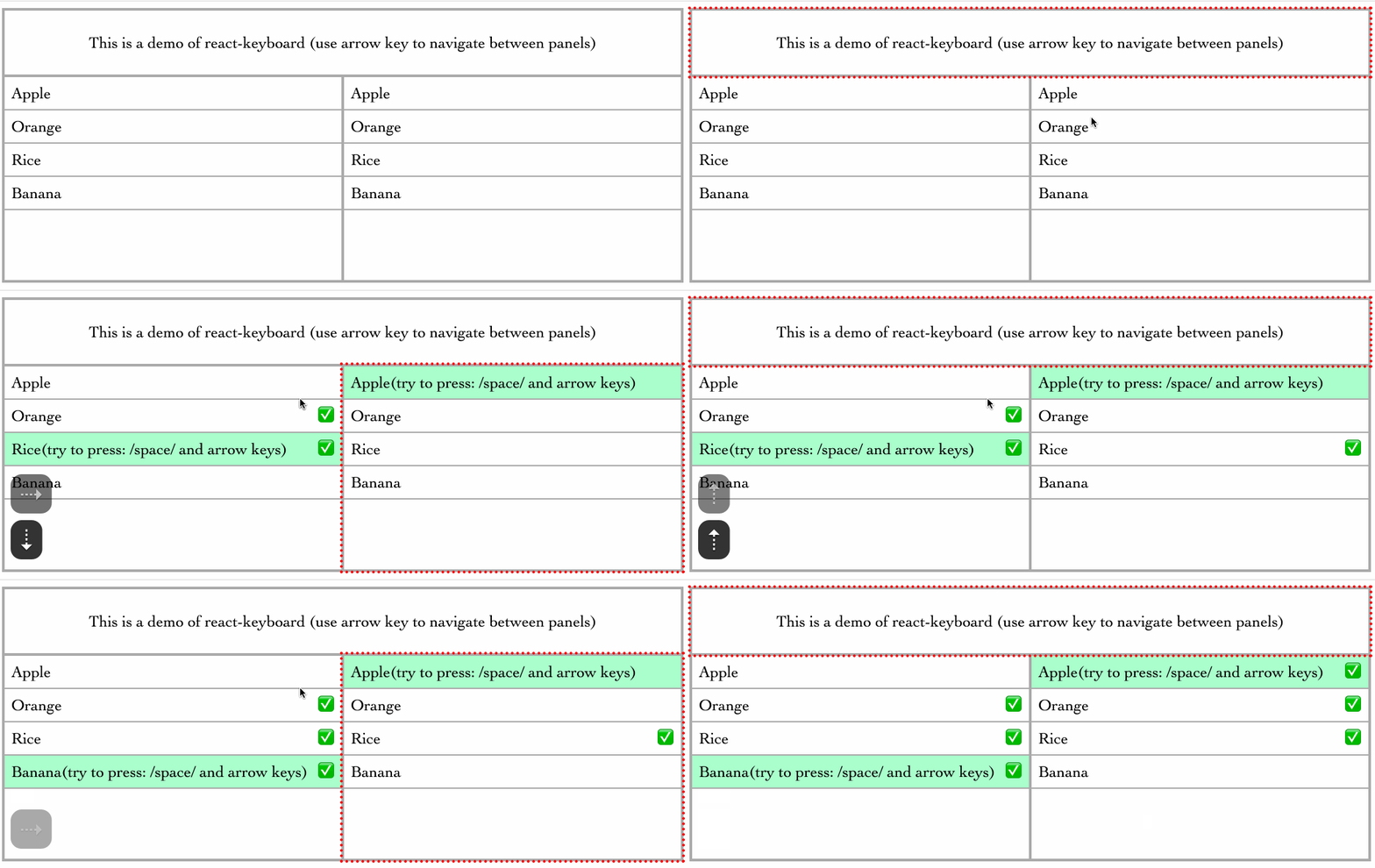
Install
npm install react-keyboardrun the example:
node server.jsQuick Example
import React from 'react'
import HotKeys, { Handlers } from 'react-keyboard'
import { render } from 'react-dom'

const keyMap = {
  cmdK: {
    combo: 'command+k',
  },
  deleteNode: ['del', 'backspace'],
  left: 'left',
  right: 'right',
  up: 'up',
  down: 'down',
  space: 'space',
}

interface NodeProps {
  style?: React.CSSProperties
  focusOnMount?: boolean
  name?: string
  className?: string;
  data: string[];
}

class Node extends React.Component<NodeProps, {show: boolean, data: string[], selected: number, selections: number[]}> {

  handlers: Handlers

  constructor(props: NodeProps) {
    super(props)
    this.handlers = {
      up: this.up,
      down: this.down,
      space: this.space,
    }
    this.state = {
      show: true,
      data: props.data,
      selected: -1,
      selections: []
    }
  }

  up = (e: KeyboardEvent, seq: string) => {
    this.setState({ selected: this.state.selected - 1 >= 0 ? this.state.selected - 1 : 0 })
  }

  down = (e: KeyboardEvent, seq: string) => {
    this.setState({ selected: this.state.selected + 1 >= this.state.data.length ? this.state.selected : this.state.selected + 1 })
  }

  space = (e: KeyboardEvent, seq: string) => {
    if (!this.state.selections.includes(this.state.selected)) {
      this.setState({ selections: this.state.selections.concat(this.state.selected) })
    } else {
      this.setState({ selections: this.state.selections.filter(s => s !== this.state.selected) })
    }
    return false;
  }

  render() {
    return (
      <HotKeys
        {...this.props}
        handlers={this.handlers}
        navigator={{
          up: () => this.state.selected > 0 ? null : 'header',
          left: 'left',
          right: 'right',
        }}
      >
        {
          this.props.data.map((d, i) => {
            const itemSelected = this.state.selected === i
            return (
              <div key={d} className="item" style={{ backgroundColor: itemSelected ? '#aaffcc' : '#fff' }}>
                <span>{d}{itemSelected ? '(try to press: /space/ and arrow keys)' : ''}</span>
                {this.state.selections.includes(i) ? <span>✅</span> : null}
              </div>
            )
          })
        }
      </HotKeys>
    )
  }
}

render(
  <HotKeys keyMap={keyMap} className="container">
    <HotKeys name="header" className="header" navigator={{ down: 'left' }}>
      This is a demo of react-keyboard (use arrow key to navigate between panels)
    </HotKeys>
    <div className="content">
      <Node
        name="left"
        className="left"
        data={[ 'Apple', 'Orange', 'Rice', 'Banana' ]}
      />
      <Node
        name="right"
        className="right"
        data={[ 'Apple', 'Orange', 'Rice', 'Banana' ]}
      />
    </div>
  </HotKeys>,
  document.getElementById('root')
)
License
MIT