
Package Exports
- backport
This package does not declare an exports field, so the exports above have been automatically detected and optimized by JSPM instead. If any package subpath is missing, it is recommended to post an issue to the original package (backport) to support the "exports" field. If that is not possible, create a JSPM override to customize the exports field for this package.
Readme
backport


A simple CLI tool that automates the process of backporting commits
What is backporting?
Backporting is the action of taking parts from a newer version of a software system [..] and porting them to an older version of the same software. It forms part of the maintenance step in a software development process, and it is commonly used for fixing security issues in older versions of the software and also for providing new features to older versions.
Source: https://en.wikipedia.org/wiki/Backporting
Who is this tool for?
This tools is for anybody who are working on a codebase where they have to maintain multiple versions. If you manually cherry-pick commits from master, this tool might save you a lot of time.
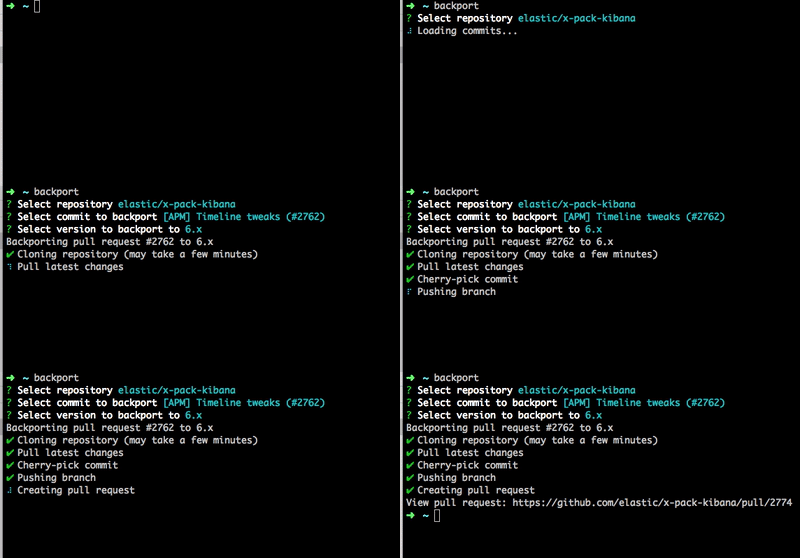
backport is a CLI that will ask you which commit to backport, and to which branch and then cherry-pick the commit, and create a pull request towards the correct branch.
Requirements
- Node 8 or higher
- git
OR
- Docker
Install with Node
npm install -g backportAfter installation you must update the global config in ~/.backport/config.json with your Github username and a Github access token.
Run via Docker
If you don't have Node.js or git installed locally, you can run backport via Docker.
The easiest way is to add the following snippet to your bash profile:
backport() {
    BACKPORT_CONFIG_DIR=~/.backport
    GIT_CONFIG_FILE=~/.gitconfig

    docker run -it --rm -v $(pwd):/app:ro -v $BACKPORT_CONFIG_DIR:/root/.backport -v $GIT_CONFIG_FILE:/etc/gitconfig sqren/backport "$@"
}
Where:
BACKPORT_CONFIG_DIR: This can be ANY empty folder on your local machine. Upon running the docker container for the first time, aconfig.jsonwill be created automatically. This must be filled out withusernameandaccessTokenor these must be passed as CLI arguments:backport --username <username> --accessToken <accessToken>GIT_CONFIG_FILE: Must point to a local.gitconfigfile that contains the user's name and email.
You can now use backport as if it was installed locally.
Usage
Run the CLI in your project folder (must contain a .backportrc.json file):
> backportor run this from anywhere:
> backport --upstream elastic/kibanaThe above commands will start an interactive prompt. You can use the arrow keys to choose options, <space> to select checkboxes and <enter> to proceed.
CLI Arguments
| Option | Description | Accepts |
|---|---|---|
| --accessToken | Github access token | string |
| --all | Show all commits | boolean (default: false) |
| --branch | Branch to backport to | string |
| --labels | Pull request labels | string |
| --multiple | Backport multiple commits and/or branches | boolean |
| --sha | Commit sha to backport | string |
| --upstream | Name of repository | string |
| --username | Github username | string |
| --help | Show help | |
| -v, --version | Show version number |
Additional documentation
Contributing
See CONTRIBUTING.md