

Package Exports
- react-pin-field
This package does not declare an exports field, so the exports above have been automatically detected and optimized by JSPM instead. If any package subpath is missing, it is recommended to post an issue to the original package (react-pin-field) to support the "exports" field. If that is not possible, create a JSPM override to customize the exports field for this package.
Readme
📟 React PIN Field 


React component for entering PIN codes.
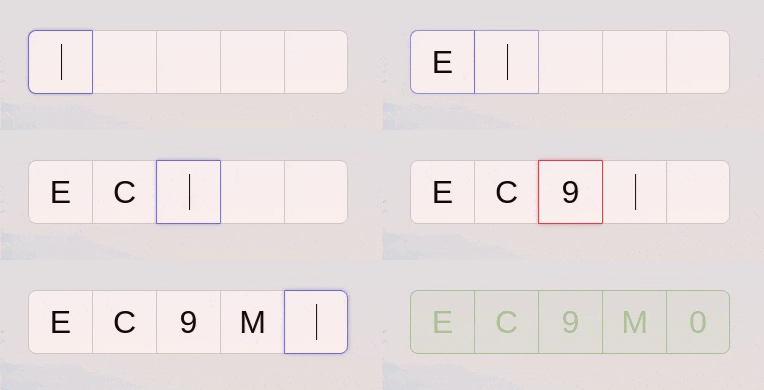
Live demo at https://react-pin-field.soywod.me.
Installation
yarn add react-pin-field
# or
npm install react-pin-field
Usage
import PinField from "react-pin-field"Props
type PinFieldProps = {
  ref?: React.Ref<HTMLInputElement[]>
  length?: number
  validate?: string | string[] | RegExp | ((key: string) => boolean)
  format?: (char: string) => string
  onResolveKey?: (key: string, ref?: HTMLInputElement) => any
  onRejectKey?: (key: string, ref?: HTMLInputElement) => any
  onChange?: (code: string) => void
  onComplete?: (code: string) => void
} & React.InputHTMLAttributes<HTMLInputElement>

const defaultProps = {
  ref: {current: []},
  length: 5,
  validate: /^[a-zA-Z0-9]$/,
  format: key => key,
  onResolveKey: () => {},
  onRejectKey: () => {},
  onChange: () => {},
  onComplete: () => {},
}
Ref
You can control each inputs with the PIN field ref:
<PinField ref={ref} />

// Reset all inputs
ref.current.forEach(input => (input.value = ""))

// Focus one particular input
ref.current[2].focus()
Style
React PIN Field can be styled either with className or style. You can also use pseudo-classes :nth-of-type, :focus, :hover, :valid, :invalid…
The classes -{index}, -focus, -success and -error have been deprecated
(and are not used anymore) since the
v1.1.0.
Length
Length of the code (number of characters to type). Default: 5.
Validate
The validator prop can be:
- A string of allowed characters:
abcABC123 - A list of allowed chars:
["a", "b", "c", "1", "2", "3"] - A RegExp:
/^[a-zA-Z0-9]$/ - A function:
(char: string) => boolean
Format
Function called just before adding a new char to the code. For example, to set
the code to upper case: (char: string) => char.toUpperCase()
Events
- onResolveKey: called when a char passes successfully the
validatefunction - onRejectKey: the opposite of
onResolveKey - onChange: called when the code changes
- onComplete: called when the code has been fully filled
Examples
See the live demo.
Development
git clone https://github.com/soywod/react-pin-field.git
cd react-pin-field
yarn install
To start the development server:
yarn startTo build the lib:
yarn buildTo build the demo:
yarn build:demoTests
Unit tests
Unit tests are handled by Jest (.test files) and
Enzyme (.spec files).
yarn test:unitEnd-to-end tests
End-to-end tests are handled by Cypress (.e2e
files).
yarn start
yarn test:e2e