

Package Exports
- upload-js
This package does not declare an exports field, so the exports above have been automatically detected and optimized by JSPM instead. If any package subpath is missing, it is recommended to post an issue to the original package (upload-js) to support the "exports" field. If that is not possible, create a JSPM override to customize the exports field for this package.
Readme

The fastest way to upload & transform files.


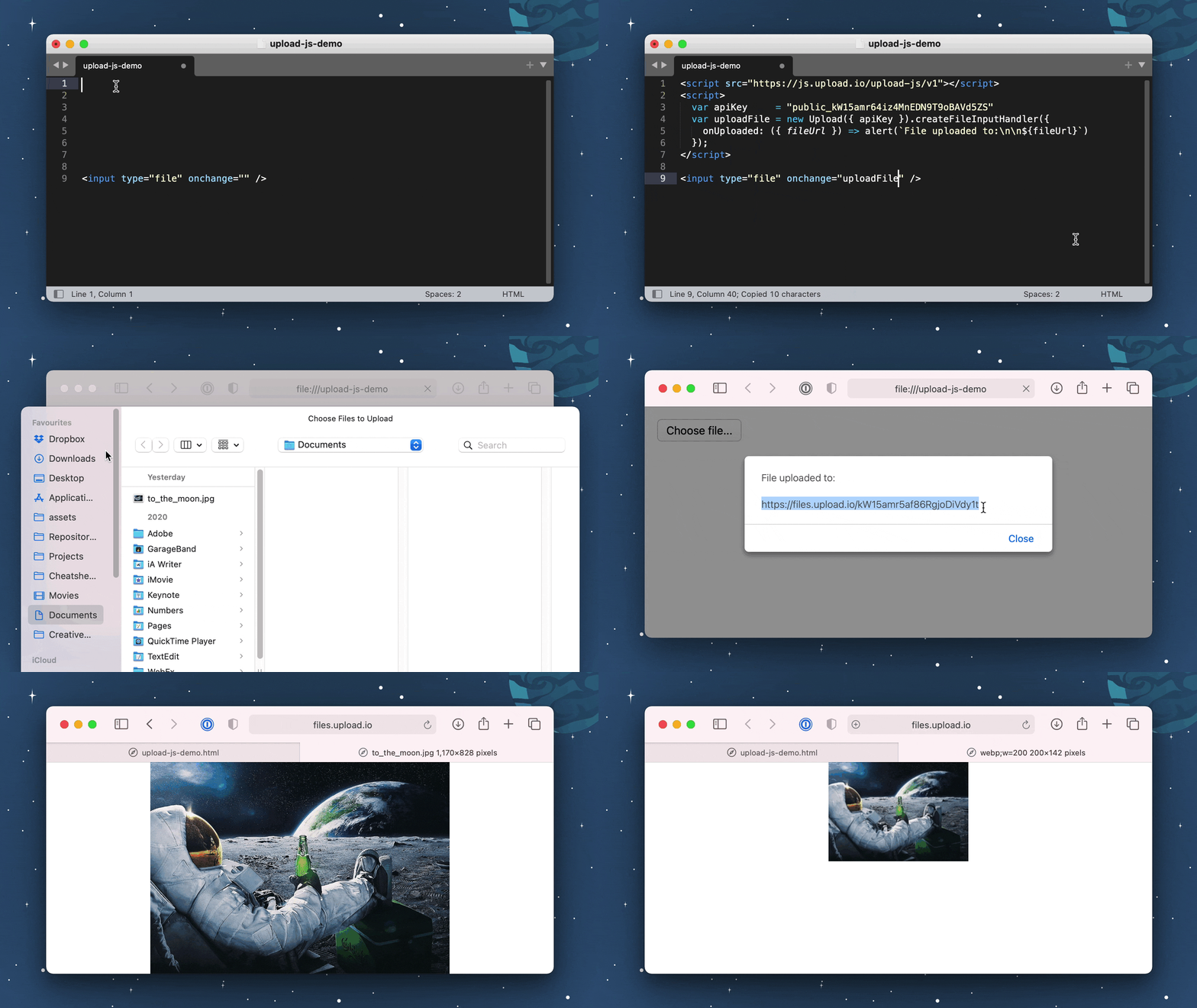
⚙️ Prerequisites
Create an Upload account (it only takes a few seconds).
Install Upload.js:
npm install upload-js
Or:
<script src="https://js.upload.io/upload-js/v1"></script>
🎯 Features
Upload.js is a small file upload library (7KB) for a powerful file processing platform (upload.io).
You can use them together to:
- Upload files with 7 lines of code. (Files are uploaded to the Upload CDN.)
- Download files with minimal latency. (Our CDN covers 200+ locations worldwide.)
- Secure your files. (Upload.js can integrate with your app's auth layer to decide who can download files.)
- Transform files. (Upload.js uses a plugin-based architecture: you can build your own transformations.)
- Resize images, crop images & convert images. (Upload.js offers many transformations out-the-box.)
- And much more, explore Upload.js.
👀 Examples
📖 Uploading Files (Plain JS)
//
// HTML: <input type="file" onchange="uploadFile(event)" />
//
var upload = new Upload({ apiKey: "..." });
var uploadFile = upload.createFileInputHandler({
  onUploaded: ({ fileUrl, fileId }) => {
    alert(`File uploaded! ${fileUrl}`);
  }
});
📖 Uploading Files (React)
//
// JSX: <MyUploadButton />
//
var { Upload } = require("upload-js");
var upload = new Upload({ apiKey: "..." });

var MyUploadButton = () => {
  var uploadFile = upload.createFileInputHandler({
    onUploaded: ({ fileUrl, fileId }) => {
      alert(`File uploaded! ${fileUrl}`);
    }
  });

  return <input type="file" onChange={uploadFile} />;
};
📖 Uploading Files (Angular)
//
// HTML: <input type="file" on-change="uploadFile" />
//
var { Upload } = require("upload-js");
var upload = new Upload({ apiKey: "..." });
angular
  .module("exampleApp", [])
  .controller("exampleController", $scope => {
    $scope.uploadFile = upload.createFileInputHandler({
      onUploaded: ({ fileUrl, fileId }) => {
        alert(`File uploaded! ${fileUrl}`);
      }
    });
  })
  .directive("onChange", () => ({
    link: (scope, element, attrs) => {
      element.on("change", scope.$eval(attrs.onChange));
    }
  }));
📖 Uploading Files (Vue.js)
//
// HTML: <input id="example" type="file" @change="uploadFile" />
//
var { Upload } = require("upload-js");
var upload = new Upload({ apiKey: "..." });
var uploadFile = upload.createFileInputHandler({
  onUploaded: ({ fileUrl, fileId }) => {
    alert(`File uploaded! ${fileUrl}`);
  }
});
var vueApp = new Vue({
  el: "#example",
  methods: { uploadFile }
});
Contribute
If you would like to contribute to Upload.js:
- Add a GitHub Star to the project (only if you're feeling generous!).
- Determine whether you're raising a bug, feature request or question.
- Raise your issue or PR. 🚀